Playwright Pulse Documentation — Full guides for Playwright report generation, Pytest reporting generation.




The ultimate Playwright reporter — Interactive dashboard with historical trend analytics, CI/CD-ready standalone HTML reports, and sharding support for scalable test execution.
Documentation: Pulse Report
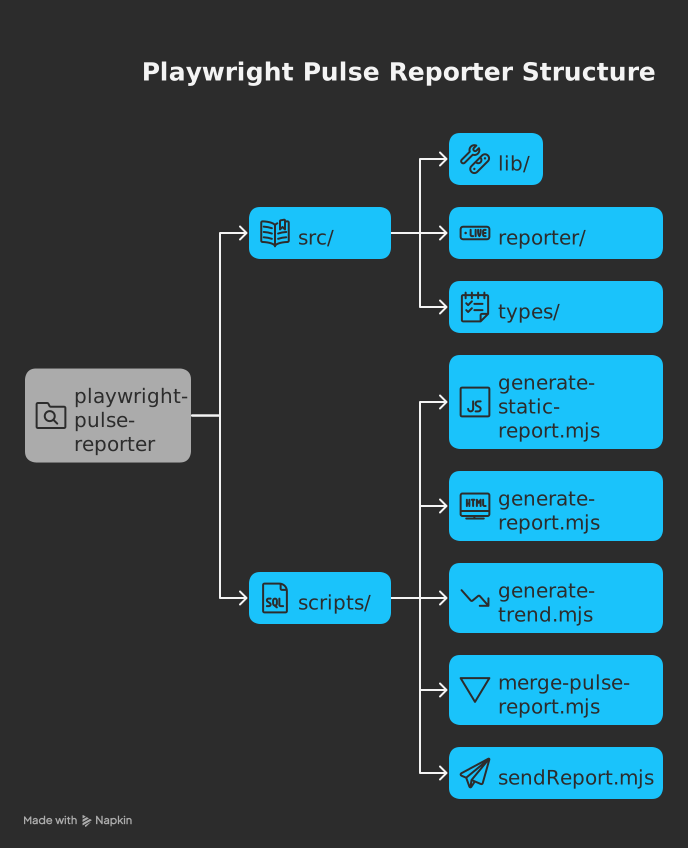
The project provides these utility commands:
| Command | Description |
|---|---|
generate-report |
Generates playwright-pulse-report.html, Loads screenshots and images dynamically from the attachments/ directory, Produces a lighter HTML file with faster initial load, Requires attachments/ directory to be present when viewing the report |
generate-pulse-report |
Generates playwright-pulse-static-report.html, Self-contained, no server required, Preserves all dashboard functionality, all the attachments are embedded in the report, no need to have attachments/ directory when viewing the report, with a dark theme and better initial load handling |
merge-pulse-report |
Combines multiple parallel test json reports, basically used in sharding |
generate-trend |
Analyzes historical trends in test results |
generate-email-report |
Generates email-friendly report versions |
send-email |
Generates email-friendly report versions & Distributes report via email |
Run with npm run <command>
-
Reporter Collection:
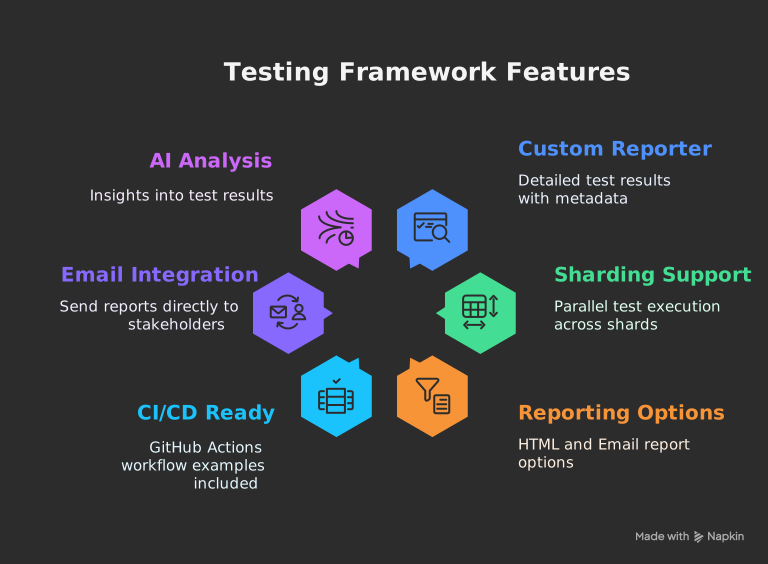
- Custom reporter collects detailed results during test execution
- Handles sharding by merging
.pulse-shard-results-*.jsonfiles
-
JSON Output:
- Generates comprehensive
playwright-pulse-report.json
- Generates comprehensive
-
Visualization Options:
- Static HTML: Self-contained report file with all data
- Email: Send formatted reports to stakeholders
npm install @arghajit/playwright-pulse-report@latest --save-dev// playwright.config.ts
import { defineConfig } from "@playwright/test";
import * as path from "path";
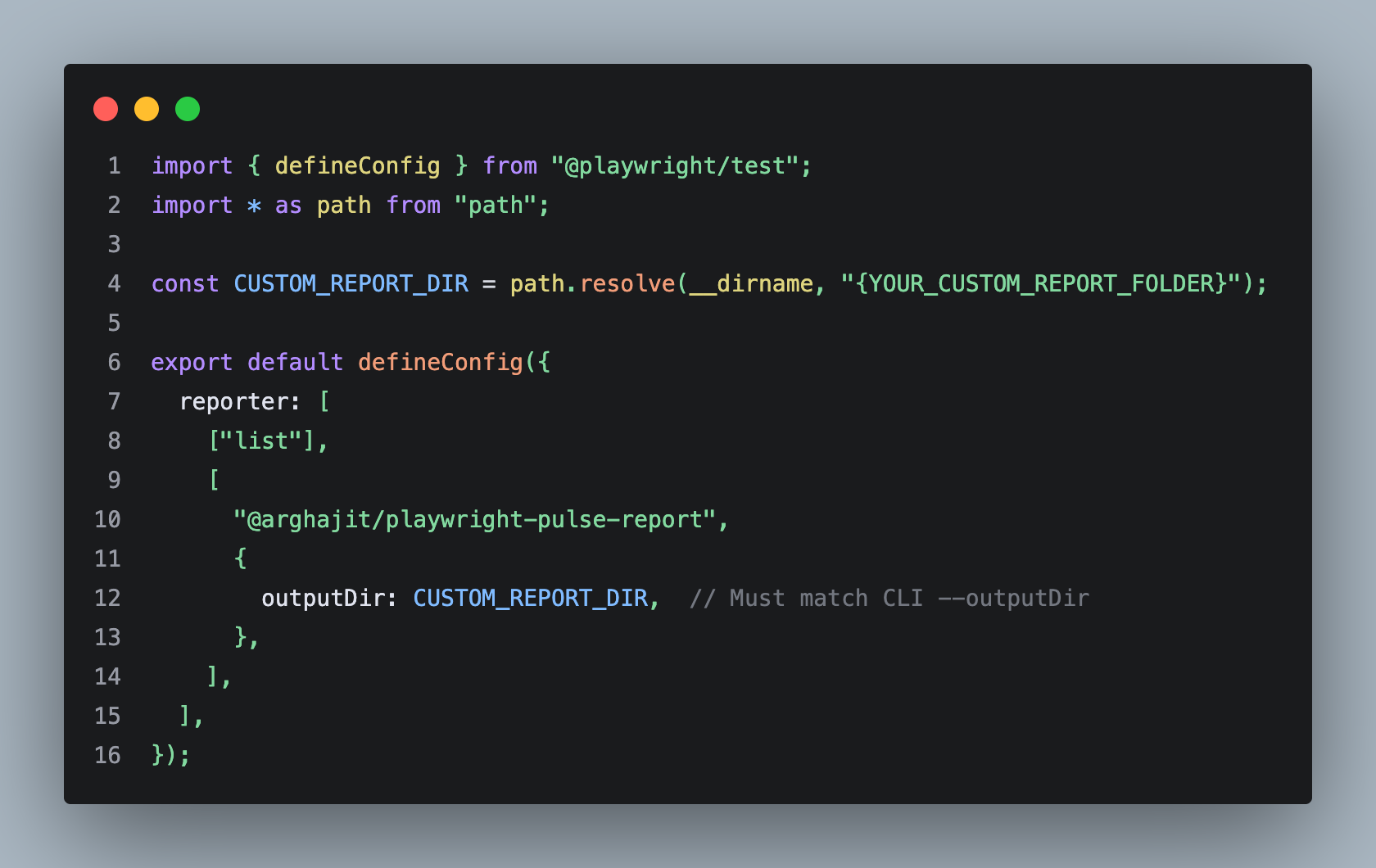
const PULSE_REPORT_DIR = path.resolve(__dirname, "pulse-report");
export default defineConfig({
reporter: [
["list"],
[
"@arghajit/playwright-pulse-report",
{
outputDir: PULSE_REPORT_DIR,
},
],
],
// Other configurations...
});After running tests:
npx generate-pulse-report  # Generates static HTML
npx send-email # Sends email reportAll CLI scripts now support custom output directories, giving you full flexibility over where reports are generated:
# Using custom directory
npx generate-pulse-report --outputDir {YOUR_CUSTOM_REPORT_FOLDER}
npx generate-report -o test-results/e2e
npx send-email --outputDir custom-pulse-reports

# Using nested paths
npx generate-pulse-report --outputDir reports/integration
npx merge-pulse-report --outputDir {YOUR_CUSTOM_REPORT_FOLDER}
Important: Make sure your playwright.config.ts custom directory matches the CLI script:
npm run generate-pulse-report
or,
npx generate-pulse-report- Generates
playwright-pulse-static-report.html - Self-contained, no server required
- Preserves all dashboard functionality
npm run generate-report
or,
npx generate-report- Generates playwright-pulse-report.html
- Loads screenshots and images dynamically from the attachments/ directory
- Produces a lighter HTML file with faster initial load
- Requires attachments/ directory to be present when viewing the report
-
Configure
.env:RECIPIENT_EMAIL_1=recipient1@example.com RECIPIENT_EMAIL_2=recipient2@example.com # ... up to 5 recipients -
Send report:
npx send-email
NOTE: Email will be sent with a light-weight html file, which can be opened in mail preview application.
The dashboard includes AI-powered test analysis that provides:
- Test flakiness detection
- Performance bottlenecks
- Failure pattern recognition
- Suggested optimizations
The send-email CLI wraps the full email flow:
- Generates a lightweight HTML summary (
pulse-email-summary.html) from the latestplaywright-pulse-report.json. - Builds a stats table (start time, duration, total, passed, failed, skipped, percentages).
- Sends an email with that summary as both the body and an HTML attachment.
Set up to 5 recipients via environment variables:
RECIPIENT_EMAIL_1=recipient1@example.com
RECIPIENT_EMAIL_2=recipient2@example.com
RECIPIENT_EMAIL_3=recipient3@example.com
RECIPIENT_EMAIL_4=recipient4@example.com
RECIPIENT_EMAIL_5=recipient5@example.comThe script supports two ways to obtain SMTP credentials:
Flow A – Environment-based credentials (recommended)
Provide mail host and credentials via environment variables:
PULSE_MAIL_HOST=gmail        # or: outlook
PULSE_MAIL_USERNAME=you@example.com
PULSE_MAIL_PASSWORD=your_app_passwordPULSE_MAIL_HOSTsupportsgmailoroutlookonly.- For Gmail/Outlook, use an app password or SMTP-enabled credentials.
Flow B – Default Flow (fallback)
If the above variables are not set, the script fallbacks to default the mail host for compatibility.
Use the default output directory:
npx send-emailOr point to a custom report directory (must contain playwright-pulse-report.json):
npx send-email --outputDir <YOUR_CUSTOM_REPORT_FOLDER>Under the hood, this will:
- Resolve the report directory (from
--outputDirorplaywright.config.ts). - Run
generate-email-report.mjsto createpulse-email-summary.html. - Use Nodemailer to send the email via the selected provider (Gmail or Outlook).
# .github/workflows/playwright.yml
name: Playwright Tests
on:
  push:
    branches: [ main, master ]
  pull_request:
    branches: [ main, master ]
jobs:
  test:
    timeout-minutes: 60
    runs-on: ubuntu-latest
    steps:
    - uses: actions/checkout@v4
    - uses: actions/setup-node@v4
      with:
        node-version: lts/*
    - name: Install dependencies
      run: npm ci
    - name: Install Playwright Browsers
      run: npx playwright install --with-deps
    - name: Run Playwright tests
      run: npm run test
    - name: Generate Pulse Report
      run: npx generate-report
    - uses: actions/upload-artifact@v4
      if: always()
      with:
        name: pulse-report
        path: pulse-report/
        retention-days: 30
For more details, please refer to the Pulse Report Basic CI/CD Integration.
# .github/workflows/playwright.yml
name: Playwright Tests with Pulse Report
on: [push]
jobs:
  test:
    timeout-minutes: 60
    runs-on: ubuntu-latest
    strategy:
      fail-fast: false
      matrix:
        shard: [1, 2, 3, 4]
    steps:
      - uses: actions/checkout@v4
      - uses: actions/setup-node@v4
        with:
          node-version: 18
      - run: npm ci
      - run: npx playwright install --with-deps
      - run: npx playwright test --shard=${{ matrix.shard }}/${{ strategy.job-total }}
      - uses: actions/upload-artifact@v4
        if: always()
        with:
          name: pulse-report-shard-${{ matrix.shard }}
          path: pulse-report/
          retention-days: 1

  merge-report:
    needs: test
    if: always()
    runs-on: ubuntu-latest
    steps:
      - uses: actions/checkout@v4
      - uses: actions/setup-node@v4
        with:
          node-version: 18
      - run: npm ci

      # Download all shard artifacts to a single directory
      - uses: actions/download-artifact@v4
        with:
          path: all-reports
          pattern: pulse-report-shard-*

      # Merge all shard reports into a single report
      - run: npx merge-pulse-report -o all-reports

      # Generate the final HTML report
      - run: npx generate-pulse-report -o all-reports

      # Upload the final merged report
      - uses: actions/upload-artifact@v4
        with:
          name: final-playwright-pulse-report
          path: all-reports/
          retention-days: 7
For more details, please refer to the Pulse Report Sharded CI/CD Integration.
npm run generate-reportgenerates a HTML report ( screenshots/images will be taken in realtime from 'attachments/' directory ).npm run generate-pulse-reportgenerates a fully self-contained static HTML report( All screenshots and images are embedded directly into the HTML using base64 encoding, which simplifies distribution but may result in larger file sizes and longer load times ).- Each shard generates its own playwright-pulse-report.json inside pulse-report/.
- Artifacts are named using the shard type (matrix.config.type).
- After the test matrix completes, reports are downloaded, renamed, and merged.
- merge-report is a custom Node.js script that combines all JSON files into one.
npm install @arghajit/playwright-pulse-report@latestBy default, the reporter will overwrite the playwright-pulse-report.json file on each new test run. This is usually what we want. However, if we run tests sequentially in the same job, like this:
npx playwright test test1.spec.ts && npx playwright test test2.spec.tsBy default, In this above scenario, the report from test1 will be lost. To solve this, you can use the resetOnEachRun option.
// playwright.config.ts
import { defineConfig } from "@playwright/test";
import * as path from "path";

// Define where the final report JSON and HTML should go
const PULSE_REPORT_DIR = path.resolve(__dirname, "pulse-report"); // Example: a directory in your project root

export default defineConfig({
  reporter: [
    ["list"],
    [
      "@arghajit/playwright-pulse-report",
      {
        outputDir: PULSE_REPORT_DIR,
        // Add this option
        resetOnEachRun: false, // Default is true
      },
    ],
  ],
  // ...
});
How it works when resetOnEachRun: false:
- On the first run, it saves report-1.json to a pulse-report/pulse-results directory and creates the main playwright-pulse-report.json from it.
- On the second run, it saves report-2.json to the same directory.
- It then automatically reads both report-1.json and report-2.json, merges them, and updates the main playwright-pulse-report.json with the combined results.
This ensures your final report is always a complete summary of all sequential test runs.


Real-time Playwright Test Monitoring & Analysis
A Next.js component & CLI tool for visualizing Playwright test executions. Provides real-time insights, historical trends, and failure analysis.
Key Features:
- Interactive test result visualization
- Historical trend analysis
- Failure pattern identification
Quick Start:
npx pulse-dashboard
  or,
npm run pulse-dashboard
(Run from project root containing pulse-report/ directory)
NPM Package: pulse-dashboard
Tech Stack: Next.js, TypeScript, Tailwind CSS, Playwright
Part of the Playwright Pulse Report ecosystem
For issues or feature requests, please Contact Me.
Special Thanks to @Suman Vishwakarma, for continuous UAT feedback.