Your filesystem wasn't built for AI Agents.
See where space went. Ask what likely created a path. Understand what could break. Move it only through reversible safety gates.


简体中文 · Usage · Privacy · Latest release
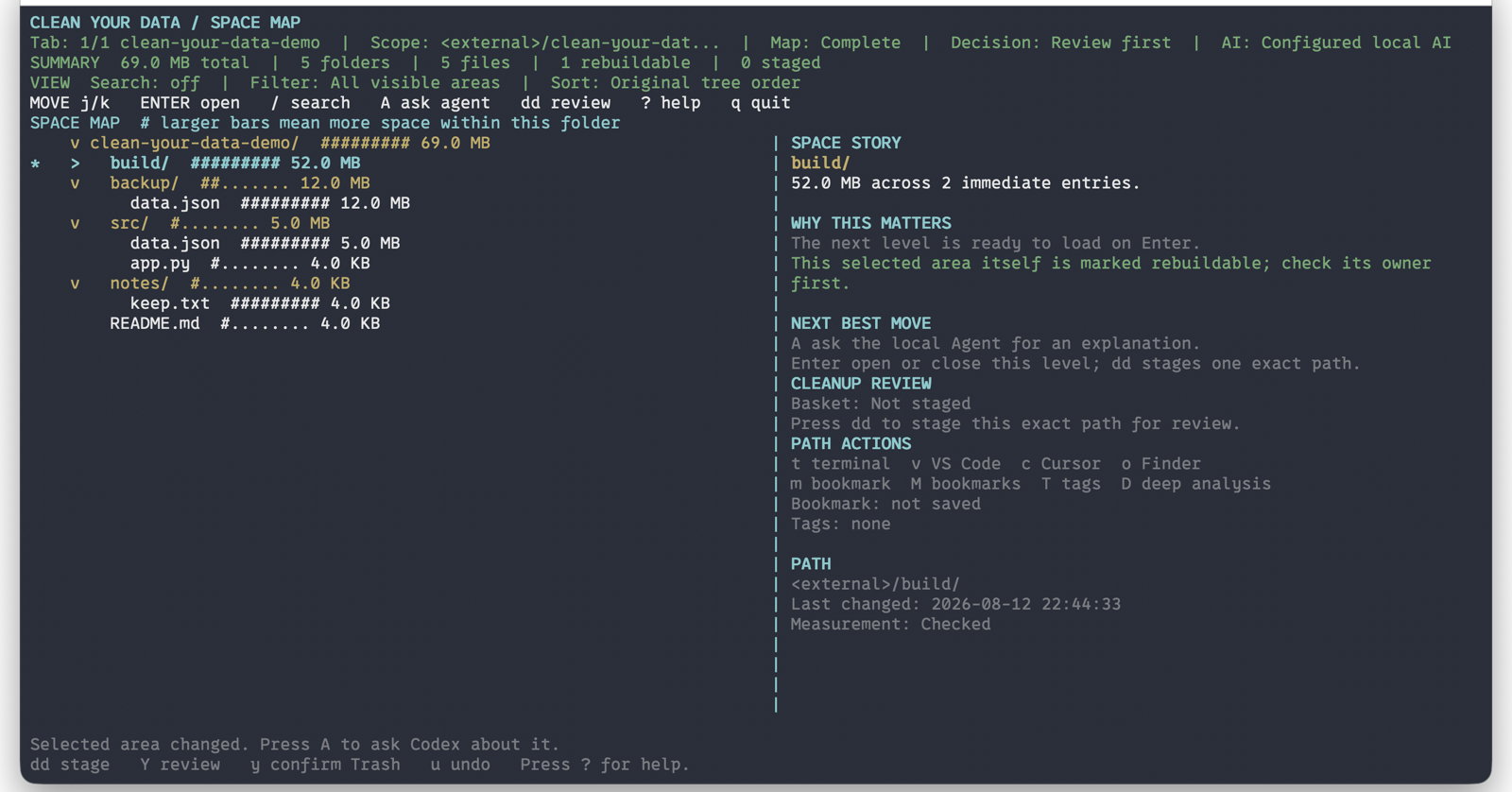
Terminal workspace: navigate, inspect, ask, review, and undo without leaving the TUI.
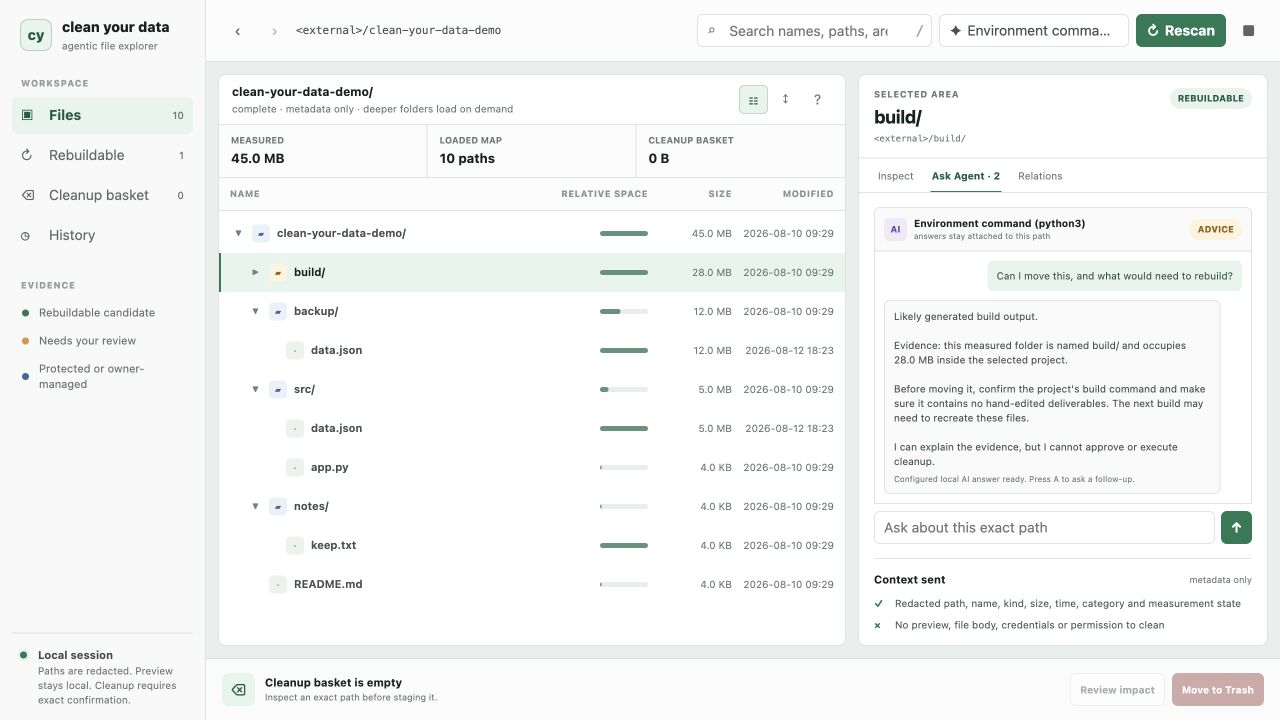
Browser workspace: keep the space map and each path's Agent conversation visible together.
Both screenshots use a synthetic project. No home directory, username, or private workspace is shown.
For Codex, send these as two messages. A newly installed Skill becomes available on the next turn.
Install the
clean-your-dataSkill fromhttps://github.com/MicroMilo/clean-your-data/tree/v0.5.0/skills/clean-your-data.
Then send:
Use
$clean-your-datato explainPATHread-only: likely source, evidence, impact if moved, unknowns, and the safest next check.
The Skill installs or runs cyd locally and starts with a stable metadata-only evidence packet:
cyd why PATH --format jsonNo file contents are sent to the Agent by this command, and its answer cannot authorize a move.
With uv installed, no checkout or permanent install is required:
# Terminal workspace
uvx --from git+https://github.com/MicroMilo/clean-your-data.git@v0.5.0 cyd .

# Browser workspace
uvx --from git+https://github.com/MicroMilo/clean-your-data.git@v0.5.0 cyd gui .
Install cyd once when you want it everywhere:
uv tool install --force git+https://github.com/MicroMilo/clean-your-data.git@v0.5.0
cyd ~/Documents/project          # TUI
cyd gui ~/Documents/project      # GUI
Python 3.9+ and macOS/Linux are supported. The package has no third-party Python runtime dependencies.
Disk analyzers know size. File managers know names. A one-off Agent prompt gives an answer but loses the selected path and surrounding state.
Clean Your Data keeps the whole decision in one place:
space map -> exact path -> local preview -> Agent evidence -> safety review -> Trash -> undo
| Capability | What is different here |
|---|---|
| Space map | Relative bars explain which branch dominates the current folder |
| Path context | Preview, metadata, relationships, and Agent answers stay attached to one selection |
| Agent control | Bring an authenticated Codex CLI or any trusted stdin/stdout command; AI remains optional |
| Action safety | Deterministic rules, exact-path confirmation, system Trash, local history, and undo |
cyd config ai --auto                         # use an authenticated Codex CLI when available
cyd config ai --codex
cyd config ai --command 'ollama run qwen3:8b'
cyd config ai --off
The Agent receives bounded metadata, not the selected file preview or file body. Its answer is advice and cannot bypass cleanup gates. Custom providers are executed as direct arguments, never through a shell.
- Initial scans are local, metadata-first, and make no network request.
- Sensitive names and binary files are excluded from preview; ordinary previews remain local and never enter the Agent prompt.
- Cleanup never permanently deletes: only an exact confirmed path moves to system Trash, with undo when restoration remains safe.
- Git-tracked paths are blocked from Trash review; use Git to manage them.
- Reports redact the home directory to
~by default, but you should still review project and folder names before sharing. - Installing the Skill or package uses the network and writes to the Agent's Skill directory or the package runner's cache; local scans themselves make no network request.
Configured Agent commands follow their own network and credential policies. Read Privacy and Security for the complete boundary.
Agent Skill · Usage and controls · Chinese README · Changelog
Clean Your Data is beta software. v0.5.0 adds the installable Agent Skill and the shared cyd why evidence interface to the GUI, TUI, tracing, reversible cleanup, and duplicate-detection foundation.
MIT licensed. See LICENSE.