A distributed job scheduling system built on .NET 10
Already on Hangfire or Quartz.NET? Keep it — add Milvaion monitoring in two lines.





Milvaion is a distributed job scheduling system that separates the scheduler (API that decides when jobs run) from the workers (processes that execute jobs), connected via Redis and RabbitMQ.
┌─────────────────┐        ┌─────────────────┐       ┌─────────────────┐
│  Milvaion API   │        │    RabbitMQ     │       │    Workers      │
│  (Scheduler)    │───────>│  (Job Queue)    │──────>│  (Executors)    │
│                 │        │                 │       │                 │
│ • REST API      │        │ • Job messages  │       │ • IJob classes  │
│ • Dashboard     │        │ • Status queues │       │ • Retry logic   │
│ • Cron parsing  │<───────│ • Log streams   │<──────│ • DI support    │
│ • Workflow DAG  │        │                 │       │                 │
└─────────────────┘        └─────────────────┘       └─────────────────┘
Most job schedulers run jobs inside the same process as the scheduling logic. This works fine until:
- A long-running job blocks other jobs from executing
- A crashing job takes down the entire scheduler
- You need different hardware for different job types (e.g., GPU for ML jobs)
- You want to scale job execution independently from the API
Milvaion solves these problems by completely separating scheduling from execution.
You don't have to migrate to adopt Milvaion.
Milvaion plugs into the scheduler you already run. Your scheduler keeps owning triggers, storage and cron expressions. Your job code doesn't change. Milvaion adds one real-time dashboard across every service, plus persisted execution history, metrics and alerting.
// Hangfire - your existing setup stays exactly as it is
builder.Services.AddMilvaionHangfireIntegration(builder.Configuration);
builder.Services.AddHangfire((sp, config) => config.UseMilvaion(sp));

// Quartz.NET - your existing setup stays exactly as it is
builder.Services.AddMilvaionQuartzIntegration(builder.Configuration);
builder.Services.AddQuartz(q => q.UseMilvaion(builder.Services));
That's the whole integration.
A typical .NET estate ends up with background jobs scattered across a dozen services — each with its own dashboard behind its own URL and its own auth. Nobody can answer "which jobs failed last night?" without opening every one of them, and history vanishes when the retention window rolls over.
| Before | After |
|---|---|
| One dashboard per service | One dashboard for the whole estate |
| History limited by Hangfire/Quartz retention | Full execution history in PostgreSQL |
| Logs only in each app's own sink | Real-time log streaming per execution |
| Failures noticed when someone complains | Multi-channel alerts on failure and timeout |
| No cross-service metrics | Success rate, duration and EPM per job |
- Add monitoring — two lines per application. No migration window, no change to job code.
- Get visibility — every Hangfire and Quartz.NET job appears in the dashboard, flagged as external.
- Migrate selectively, or never — when one job outgrows in-process execution, move just that job to a Milvaion worker. Everything else keeps running untouched.
Plenty of teams stop at step 2. That's a perfectly good outcome.
| Scheduler | Package | Status |
|---|---|---|
| Hangfire | Milvasoft.Milvaion.Sdk.Worker.Hangfire |
✅ Available |
| Quartz.NET | Milvasoft.Milvaion.Sdk.Worker.Quartz |
✅ Available |
- At-least-once delivery via RabbitMQ manual ACK
- Automatic retries with exponential backoff
- Dead Letter Queue for failed jobs after max retries
- Zombie detection recovers stuck jobs
- Auto disable always failing jobs (configurable threshold)
- Horizontal worker scaling - add more workers for more throughput
- Job-type routing - route specific jobs to specialized workers
- Independent scaling - scale API and workers separately
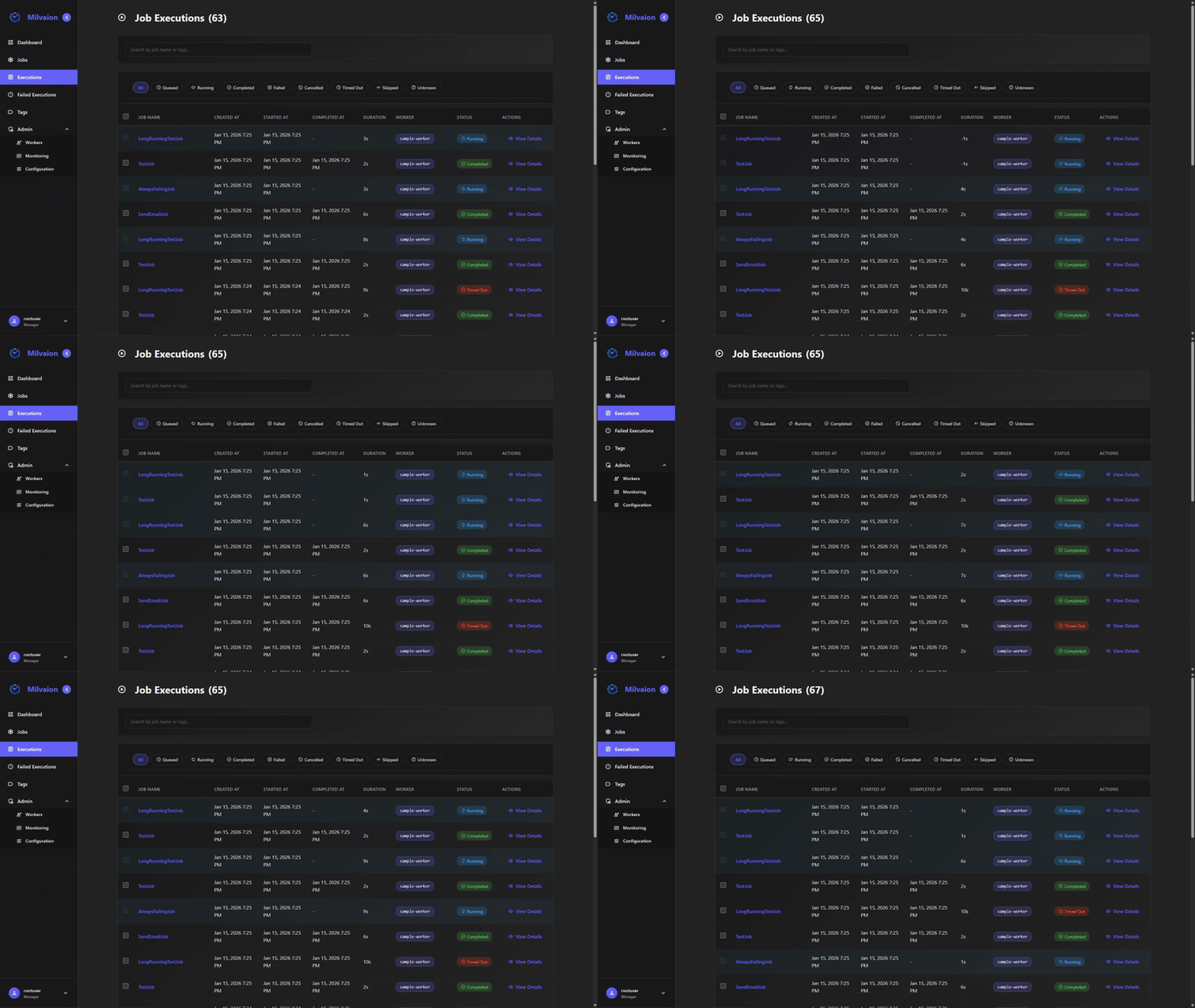
- Real-time dashboard with SignalR updates
- Execution logs - User-friendly logs stored in occurrences + technical logs to Seq
- Worker health monitoring via heartbeats
- OpenTelemetry support for metrics and tracing
- Simple
IJobinterfaces - implement one method - Full DI support - inject services into jobs
- Auto-discovery - jobs registered automatically
- Cancellation support - graceful shutdown
- Project templates - get started quickly with
dotnet new
- DAG-based orchestration - Chain jobs into directed acyclic graphs
- Conditional branching - Route execution through
true/falseports based on step results or statuses - Merge nodes - Wait for all parallel branches before continuing
- Data mappings - Pass output fields from upstream steps into downstream job data
- Failure strategies - Stop on first failure or continue on failure
- Cron & manual triggers - Schedule workflows with cron or trigger on demand
- Visual builder - Drag-and-drop DAG editor in the dashboard
- HTTP Worker - Call REST APIs on schedule
- SQL Worker - Execute database queries
- Email Worker - Send emails via SMTP
- Maintenance Worker - Milvaion self data warehouse cleanup and archival
Milvaion also monitors jobs running in Quartz.NET and Hangfire without replacing them — see Already Running Hangfire or Quartz.NET? above.
Point Claude Code, Cursor or GitHub Copilot at Milvaion and ask about your jobs in plain language:
{
  "mcpServers": {
    "milvaion": {
      "type": "http",
      "url": "https://milvaion.yourcompany.com/mcp",
      "headers": { "X-ApiKey": "your-api-key" }
    }
  }
}
"Which jobs failed last night and why?"
More than forty tools — reading, triggering, pausing, editing and deleting — each gated by the same permissions used everywhere else. A read-only api key gives an assistant full visibility and no ability to change anything. Milvaion is the data source here; it never calls a language model and stores no model provider keys.
- Docker Desktop (v20.10+) with Docker Compose
- Web browser for the dashboard
# Clone the repository
git clone https://github.com/Milvasoft/milvaion.git
cd milvaion

# Start all services
docker compose up -dOpen http://localhost:5000 in your browser.
- Default username:
rootuser - Get password:
admin(which is defined in docker-compose.yml) or if not defined auto generated password :docker logs milvaion-api 2>&1 | grep -i "password"
curl -X POST http://localhost:5000/api/v1/jobs/job \
  -H "Content-Type: application/json" \
  -d '{
    "displayName": "My First Job",
    "workerId": "sample-worker-01",
    "selectedJobName": "SampleJob",
    "cronExpression": "* * * * *",
    "isActive": true,
    "jobData": "{\"message\": \"Hello from Milvaion!\"}"
}'Milvaion follows Onion Architecture principles with clear separation of concerns:

milvaion/
├── src/
│   ├── Core/
│   │   ├── Milvaion.Domain/          # Entities, enums, domain logic
│   │   └── Milvaion.Application/     # Use cases, DTOs, interfaces
│   ├── Infrastructure/
│   │   └── Milvaion.Infrastructure/  # EF Core, external services
│   ├── Presentation/
│   │   └── Milvaion.Api/             # REST API, controllers, dashboard
│   ├── Sdk/
│   │   ├── Milvasoft.Milvaion.Sdk/        # Client SDK
│   │   └── Milvasoft.Milvaion.Sdk.Worker/ # Worker SDK
│   ├── Workers/
│   │   ├── HttpWorker/               # Built-in HTTP worker
│   │   ├── SqlWorker/                # Built-in SQL worker
│   │   ├── EmailWorker/              # Built-in Email worker
│   │   └── MilvaionMaintenanceWorker/ # Maintenance jobs
│   └── MilvaionUI/                   # React dashboard
├── tests/
│   ├── Milvaion.UnitTests/
│   └── Milvaion.IntegrationTests/
├── docs/
│   ├── portaldocs/                   # User documentation
│   └── githubdocs/                   # Developer documentation
└── build/                            # Build scripts

Build Order: Domain → Application → Infrastructure → Api → Tests
- .NET 10 SDK
- PostgreSQL 16
- Redis 7
- RabbitMQ 3.x
- Node.js 18+ (for UI development)
# Clone repository
git clone https://github.com/Milvasoft/milvaion.git
cd milvaion

# Start infrastructure (PostgreSQL, Redis, RabbitMQ)
docker compose up -d
# Unit tests
dotnet test tests/Milvaion.UnitTests

# Integration tests (requires infrastructure)
dotnet test tests/Milvaion.IntegrationTests

# All tests with coverage
dotnet test --collect:"XPlat Code Coverage"dotnet new install Milvasoft.Templates.Milvaiondotnet new milvaion-console-worker -n MyCompany.MyWorker
cd MyCompany.MyWorkerusing Milvasoft.Milvaion.Sdk.Worker.Abstractions;
public class MyCustomJob : IAsyncJob
{
private readonly IMyService _myService;
public MyCustomJob(IMyService myService)
{
_myService = myService;
}
public async Task ExecuteAsync(IJobContext context)
{
context.LogInformation("Starting my custom job...");
var data = JsonSerializer.Deserialize<MyJobData>(context.Job.JobData);
await _myService.ProcessAsync(data, context.CancellationToken);
context.LogInformation("Job completed successfully!");
}
}Milvaion's workflow engine lets you chain multiple jobs into a directed acyclic graph (DAG) where the engine coordinates execution order, data passing, conditional branching, and failure handling automatically.
| Concept | Description |
|---|---|
| Task Node | Dispatches a scheduled job — the primary building block |
| Condition Node | Evaluates an expression and routes to a true or false branch |
| Merge Node | Waits for all incoming branches to complete before continuing |
| Edge | Directed connection between steps defining execution order |
| Data Mapping | Passes an output field from one step as input to another |
┌───────────┐      ┌───────────┐      ┌─────────────┐
│  Extract  │────► │ Price > 50│──T──►│ Send Invoice│
│  Prices   │      │(Condition)│      └─────────────┘
└───────────┘      └────┬──────┘
                        │ F
                  ┌─────▼─────┐
                  │  Log Skip │
                  └───────────┘
Conditions support status checks, JSON field comparisons, and logical operators:
# All parents completed
@status == 'Completed'

# JSON field check
$.price > 100

# Combined with AND/OR
@status == 'Completed' && $.price > 50

# Target a specific parent step
019d...83f7:@status == 'Completed'
Pass results between steps using source path → target key mappings:
Step 1 (ExtractPrices) → result: { "price": 99, "item": { "name": "Widget" } }

Mapping on Step 2:
  step1Id:price      → amount
  step1Id:item.name  → title

Step 2 receives: { "amount": 99, "title": "Widget" }
| Strategy | Behavior |
|---|---|
| Stop on First Failure | Workflow stops immediately; pending steps are skipped |
| Continue on Failure | Independent branches keep running; only dependent steps are skipped |
Each workflow can also configure Max Step Retries and a Timeout (auto-cancel if exceeded).
| Document | Description |
|---|---|
| Introduction | What is Milvaion, when to use it |
| Hangfire & Quartz.NET Integration | Keep your existing scheduler, add Milvaion monitoring |
| Api Keys | Credentials for CI pipelines, scripts and MCP clients |
| MCP Server | Connect Claude Code, Cursor or Copilot to Milvaion |
| Quick Start | Get running in under 10 minutes |
| Core Concepts | Architecture and key terms |
| Your First Worker | Create a custom worker |
| Implementing Jobs | Advanced job patterns |
| Configuration | All configuration options |
| Deployment | Docker and Kubernetes deployment |
| Reliability | Retry, DLQ, zombie detection |
| Scaling | Horizontal scaling strategies |
| Monitoring | Health checks, metrics, logging |
| Workflows | DAG-based job pipelines with conditional branching and data passing |
| Document | Description |
|---|---|
| Contributing | How to contribute |
| Architecture | Technical architecture deep-dive |
| Development | Development environment setup |
| Worker SDK | Worker SDK reference |
| MCP Server | MCP server and api key auth internals |
| Security | Security policies |
| Component | Technology |
|---|---|
| Backend | .NET 10, ASP.NET Core |
| Database | PostgreSQL 16, Entity Framework Core |
| Cache/Scheduling | Redis 7 |
| Message Queue | RabbitMQ 3.x |
| Frontend | React, TypeScript, Vite |
| Real-time | SignalR |
| Logging | Serilog, Seq |
| Metrics | OpenTelemetry, Prometheus |
| Testing | xUnit, FluentAssertions, Testcontainers |
| CI/CD | GitHub Actions, Docker |
- CQRS: MediatR, Milvasoft.Components.CQRS
- Data Access: Npgsql.EntityFrameworkCore.PostgreSQL, Milvasoft.DataAccess.EfCore
- Authentication: JWT Bearer, Milvasoft.Identity
- API: Asp.Versioning.Mvc, Scalar (OpenAPI)
- Validation: FluentValidation
- Messaging: RabbitMQ.Client
- CQRS (Command Query Responsibility Segregation)
- Mediator Pattern
- Repository Pattern
- Factory Pattern
- Outbox Pattern (for offline resilience)
- Leader Election (for dispatcher)
We welcome contributions! Please see our Contributing Guide for details.
- Fork the repository
- Create a feature branch (
git checkout -b feature/amazing-feature) - Make your changes
- Run tests (
dotnet test) - Commit your changes (
git commit -m 'feat: Add amazing feature.') - Push to the branch (
git push origin feature/amazing-feature) - Open a Pull Request
Please read our Code of Conduct before contributing.
| Package | Description | NuGet |
|---|---|---|
Milvasoft.Milvaion.Sdk |
Core SDK with domain models and shared types |  |
Milvasoft.Milvaion.Sdk.Worker |
Worker SDK for building job executors |  |
Milvasoft.Templates.Milvaion |
Project templates for creating workers |  |
# Core SDK (for shared types)
dotnet add package Milvasoft.Milvaion.Sdk

# Worker SDK (for building workers)
dotnet add package Milvasoft.Milvaion.Sdk.Worker

# Worker Templates
dotnet new install Milvasoft.Templates.Milvaion| Image | Description | Docker Hub |
|---|---|---|
milvasoft/milvaion-api |
Main API with scheduler and dashboard |  |
# Pull the latest image
docker pull milvasoft/milvaion-api:latest

# Run with Docker Compose
cd build
docker compose up -d- API: http://localhost:5000
- Dashboard: http://localhost:5000
- Grafana: http://localhost:3000 (admin/admin)
- Prometheus: http://localhost:9090
- RabbitMQ Management: http://localhost:15672 (guest/guest)
- Seq Logs: http://localhost:5341
This project is licensed under the Apache 2.0 License - see the LICENSE file for details.
Made with ❤️ by Milvasoft