Recording Folder Structure
When configuring the recording path you are given the choice of either using a relative path (preceded by ./), or an absolute path (preceded by /). These paths represent folders on the server that the server has access to.
By default the server is configured to use ./recordings as the path. This is a relative path within the nMotion folder. You can use any relative path name, such as ./Security Cameras, and that would automatically create a new folder under the nMotion directory called /path/to/nMotion/Security Cameras.
You may choose to use an absolute path by providing a value starting with a single /. On a Linux or Mac this path could be a folder within a user directory that the Node process would have access to, or it could be a path to a directory on a larger file system, such as a separate internal or external drive. You may use NFS mounts or any other mount points as long as they're indexed by an absolute path. An example is /mnt/[some-uuid]/Security Cameras.
If the absolute path provided cannot be found then the system will automatically use ./recordings until you fix the path.
You may not traverse relative paths using ../ at the beginning of the recording path value, although you could use it anywhere else if you wanted to be tricky with relative paths.
The system will produce a single folder under the configured path for each named camera.
Under the camera folder will be the year, then the month, then a day folder. The day represents the date that the video was recorded relative to the server's timezone. Most of the time the timezone of the cameras and the server should be the same, however if the server is in a different timezone then the folder date may be different than the camera date.
To mitigate date differences with timezones, all video filenames use UTC, or Greenwich Mean Time. To calculate the recorded time, take the time of the filename and subtract or add however many hours offset your timezone is. For instance, if a video was recorded at 12:00:00 UTC, then in Pacific Standard Time it would be 04:00:00 PST. This is because PST is -8 hours from UTC.
Regarding file sizes, you might notice in the video below that most videos are no more than 2.2MB in size. This size may be higher, depending on the camera's recording quality, or lower if the video duration is shorter.
An example folder structure is shown below.
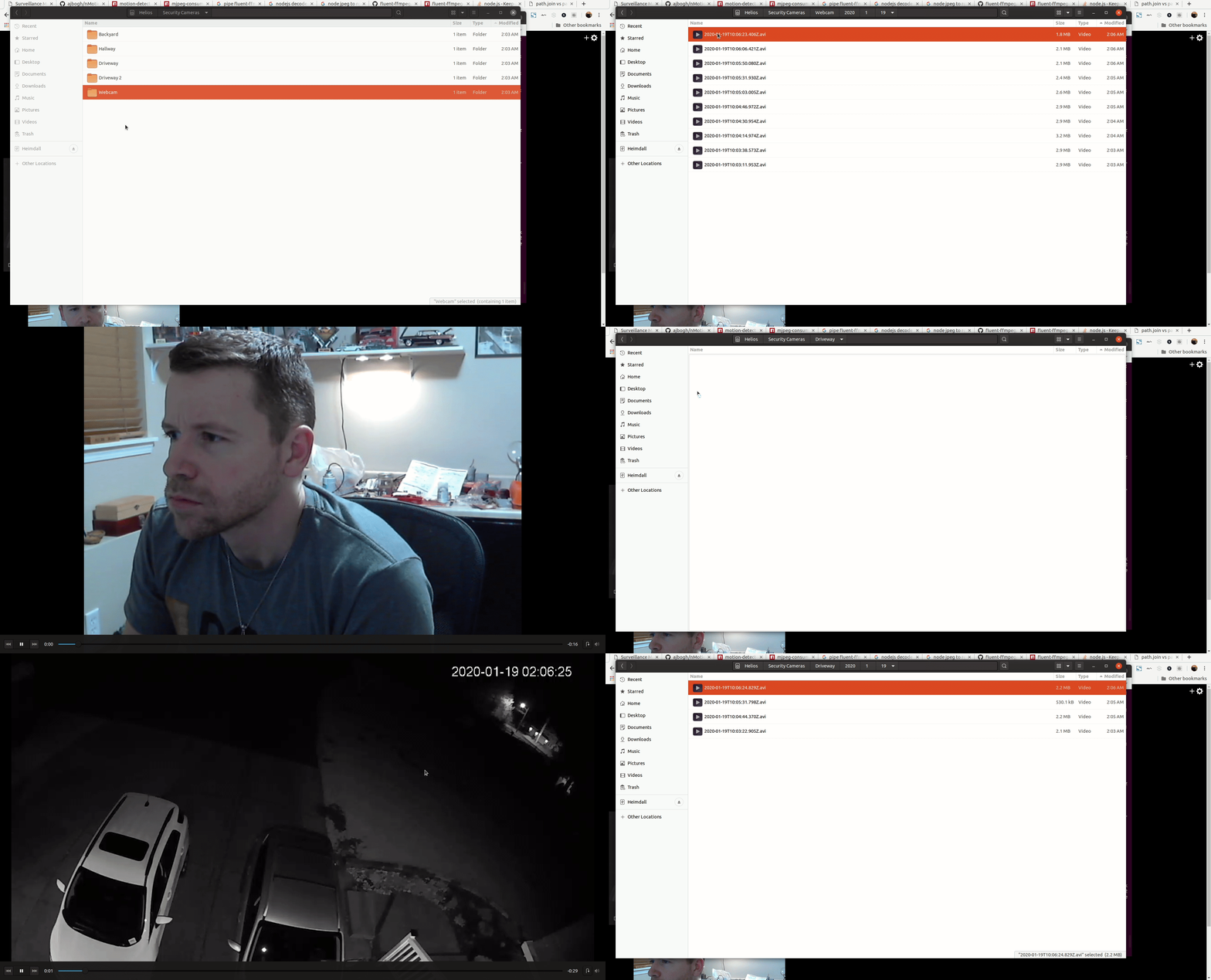 Right click and open image in new tab to view larger size