I'm new to Flutter and currently I want to use googleaps_auth to sign in to integrate google service into my app. I read the API doc on pub.dev (the same as the README.md under /googleapis.dart/googleapis_auth/) and I found it not consistent to the current Google Cloud Console and got confused.
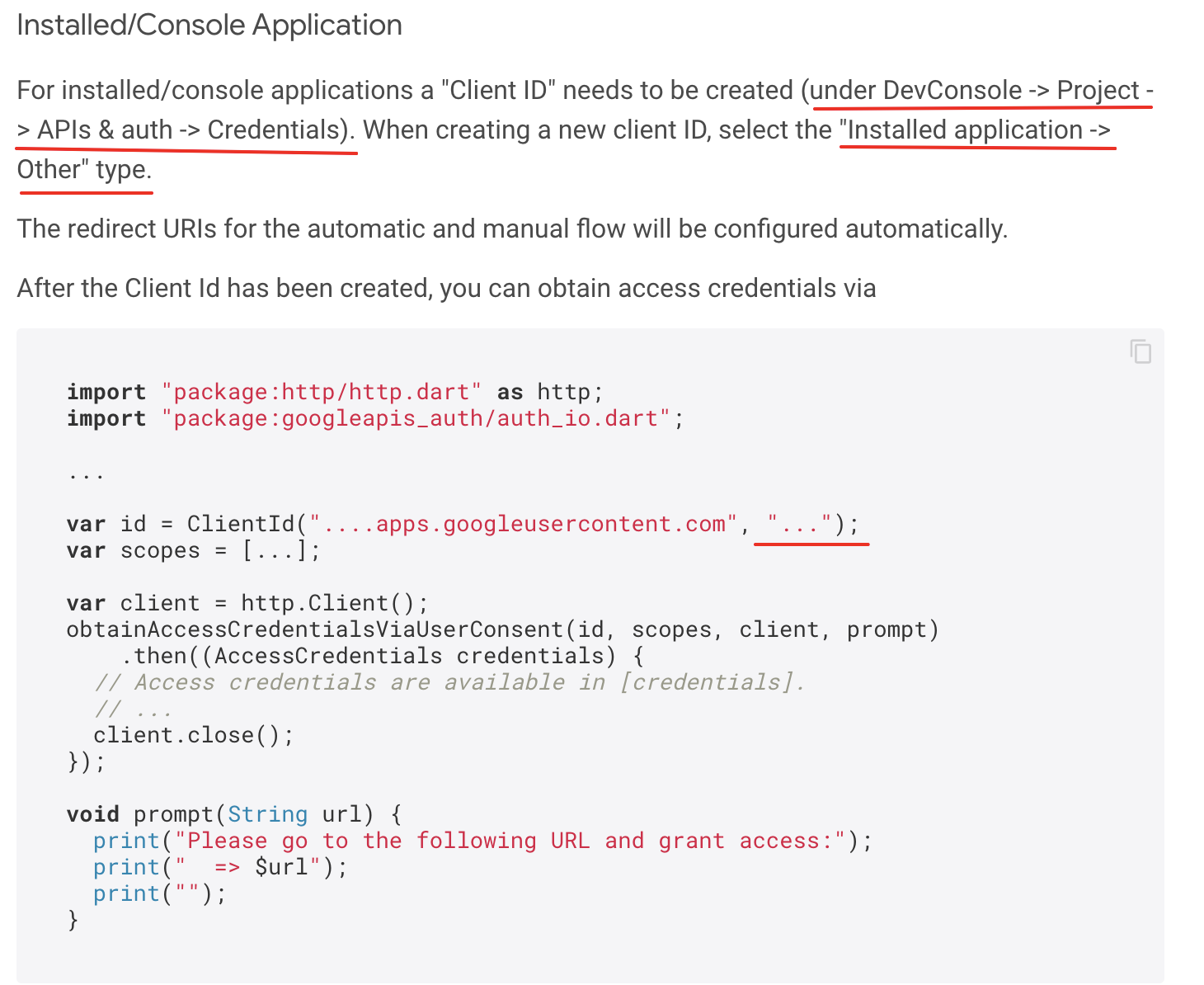
In the doc, to do authentication in the installed app, a Client ID should be created in the Google Cloud Console and declared in the code. (for details, see the screenshot of the doc below). However, DevConsole -> Project -> APIs & auth -> Credentials cannot be found in the current Google Cloud Console. The "Credentials" is now under "APIs & Services" and there is no Installed application -> Other option when creating the Client ID. The available options are Web application, Android Chrome app, iOS, TVS and Limited Input devices, Desktop app, UWP.
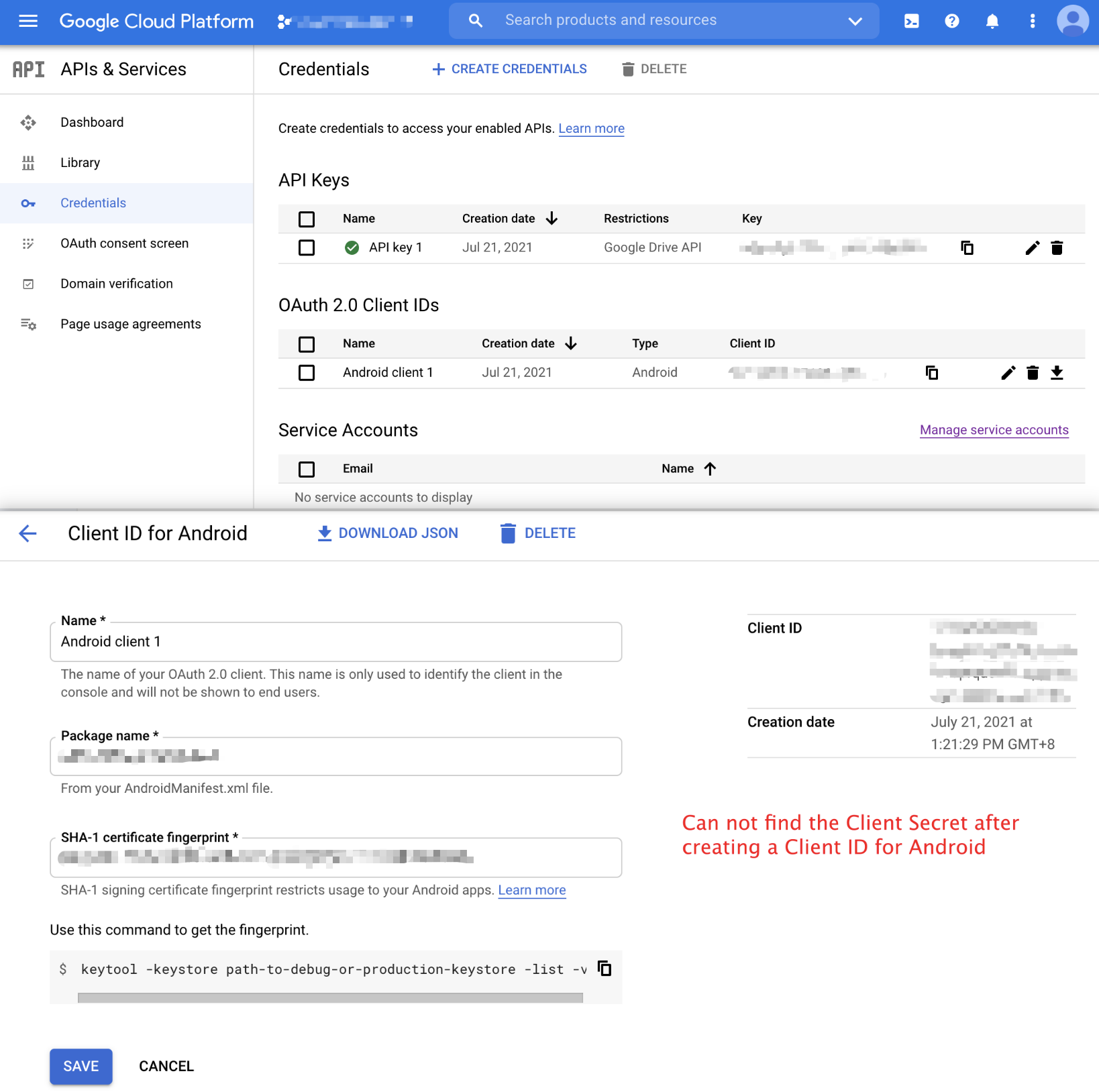
Besides, when I created a Client ID for Android app, I found that it only provided the Client ID and I couldn't found the Client secret. I'm very confused, since the api requires both Client ID and Client Secret to declare a client.
I'm wondering if you can give me some instructions on how to do authentication for the installed app. It's even better if you can look at the doc and maybe update it. @wangtz
The relevant part in the doc:
The current Google Cloud Console:
The source code for ClientID in the API:
class ClientId {
  /// The identifier used to identify this application to the server.
  final String identifier;

  /// The client secret used to identify this application to the server.
  final String? secret;

  ClientId(this.identifier, this.secret);

  ClientId.serviceAccount(this.identifier) : secret = null;

  factory ClientId.fromJson(Map<String, dynamic> json) => ClientId(
        json['identifier'] as String,
        json['secret'] as String?,
      );

  Map<String, dynamic> toJson() => {
        'identifier': identifier,
        if (secret != null) 'secret': secret,
      };
}
I'm new to Flutter and currently I want to use
googleaps_authto sign in to integrate google service into my app. I read the API doc on pub.dev (the same as the README.md under /googleapis.dart/googleapis_auth/) and I found it not consistent to the current Google Cloud Console and got confused.In the doc, to do authentication in the installed app, a Client ID should be created in the Google Cloud Console and declared in the code. (for details, see the screenshot of the doc below). However,
DevConsole -> Project -> APIs & auth -> Credentialscannot be found in the current Google Cloud Console. The "Credentials" is now under "APIs & Services" and there is noInstalled application -> Otheroption when creating the Client ID. The available options are Web application, Android Chrome app, iOS, TVS and Limited Input devices, Desktop app, UWP.Besides, when I created a Client ID for Android app, I found that it only provided the Client ID and I couldn't found the Client secret. I'm very confused, since the api requires both Client ID and Client Secret to declare a client.
I'm wondering if you can give me some instructions on how to do authentication for the installed app. It's even better if you can look at the doc and maybe update it. @wangtz
The relevant part in the doc:
The current Google Cloud Console:
The source code for ClientID in the API: