Logintel is an open source security monitoring and control system. This is used for kernel-level monitoring, command-and-control, alert generating based on rules, storing and visualizing logs efficiently.
Logintel Agent is a Golang-based endpoint security agent, built for Linux. It collects events from kernel and streams those events to the central server. It is capable of collecting command execution events, network events, file operation events and systemd services status. It uses eBPF to capture most of the events directly from the kernel. The agent is able to execute commands on the system. It has command-and-control system within it that allows the agent to work as an Incident Response system.
A detailed description of Logintel Agent about its abilities.
The agent is able to capture each and every command that has been executed on the system. The successfully executed commands are logged differently and all types of command, whether successfully executed or not, are logged differently.
It is capturing network events with 3 different scopes. The 3 scopes are -
-
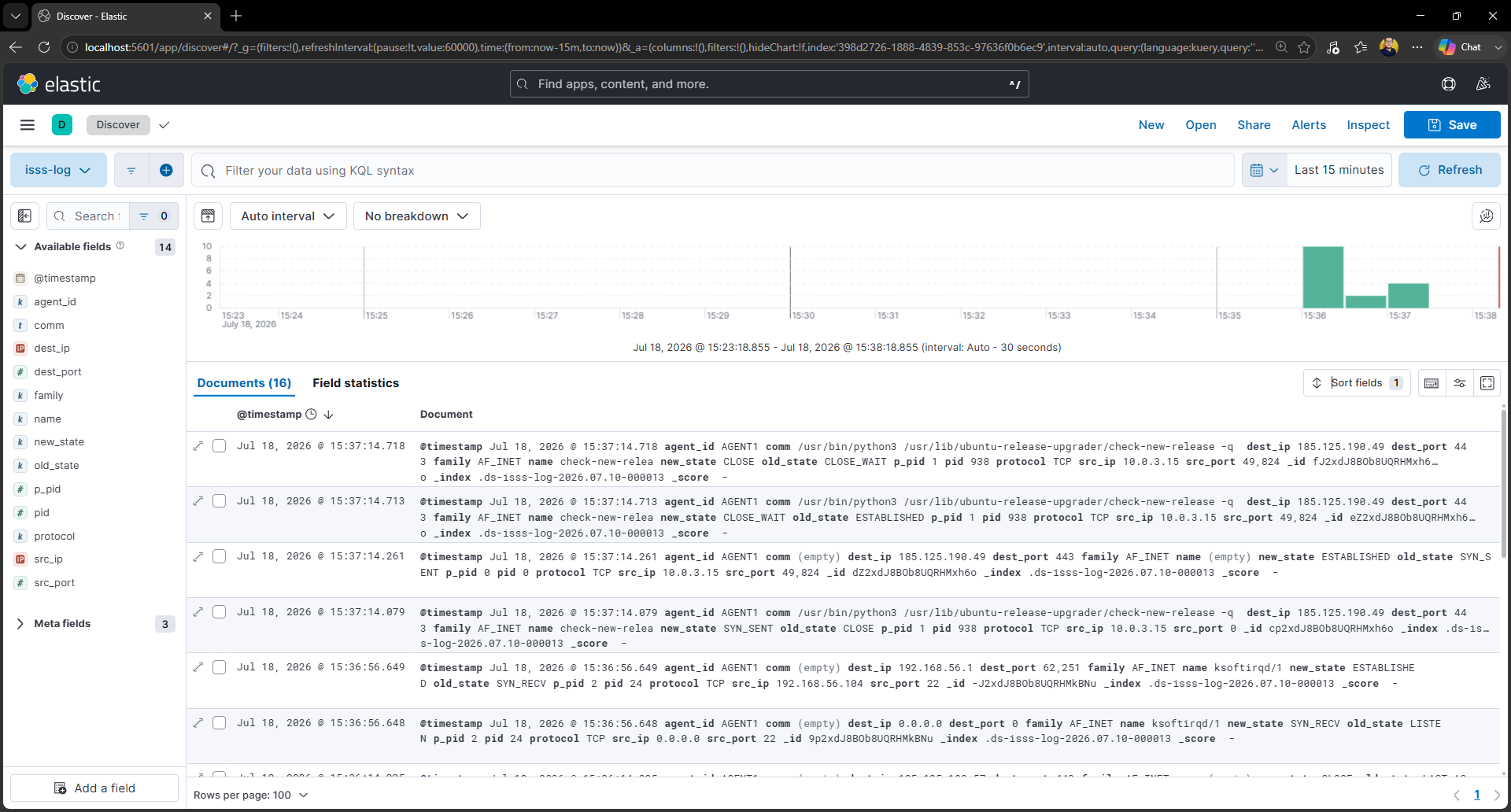
Whenever a TCP/UDP connection changes its state, the event is captured. All the information regarding the connect (i.e, source IP address, destination IP address, source port, destination port, PID etc.) will be provided in the log.
-
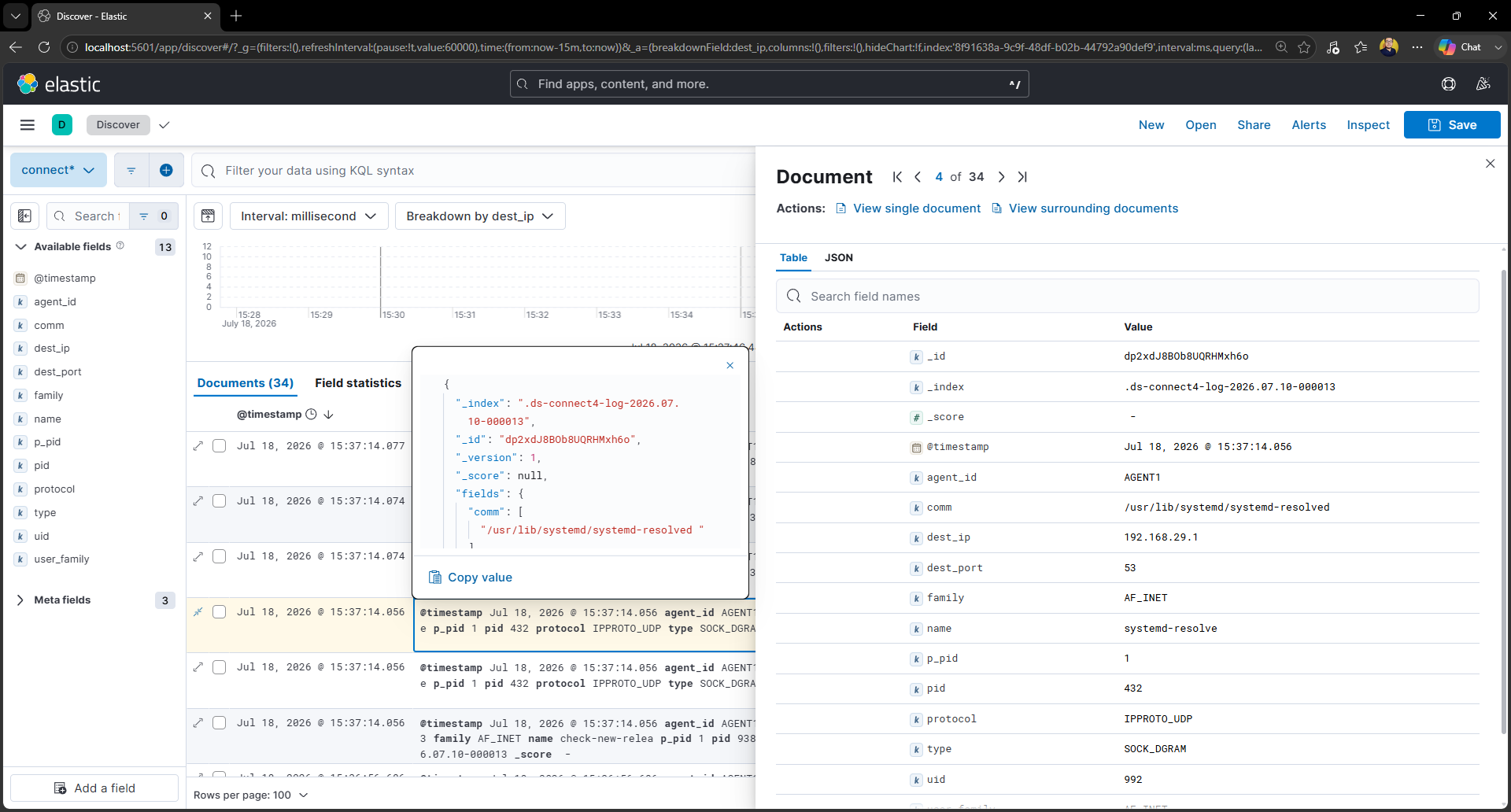
When the system initates a connection, the event is logged and all the information are captured. PID, dest IP, port etc are captured.
-
When the
bind()calls, the event is captured. PID, dest IP, port etc are captured.
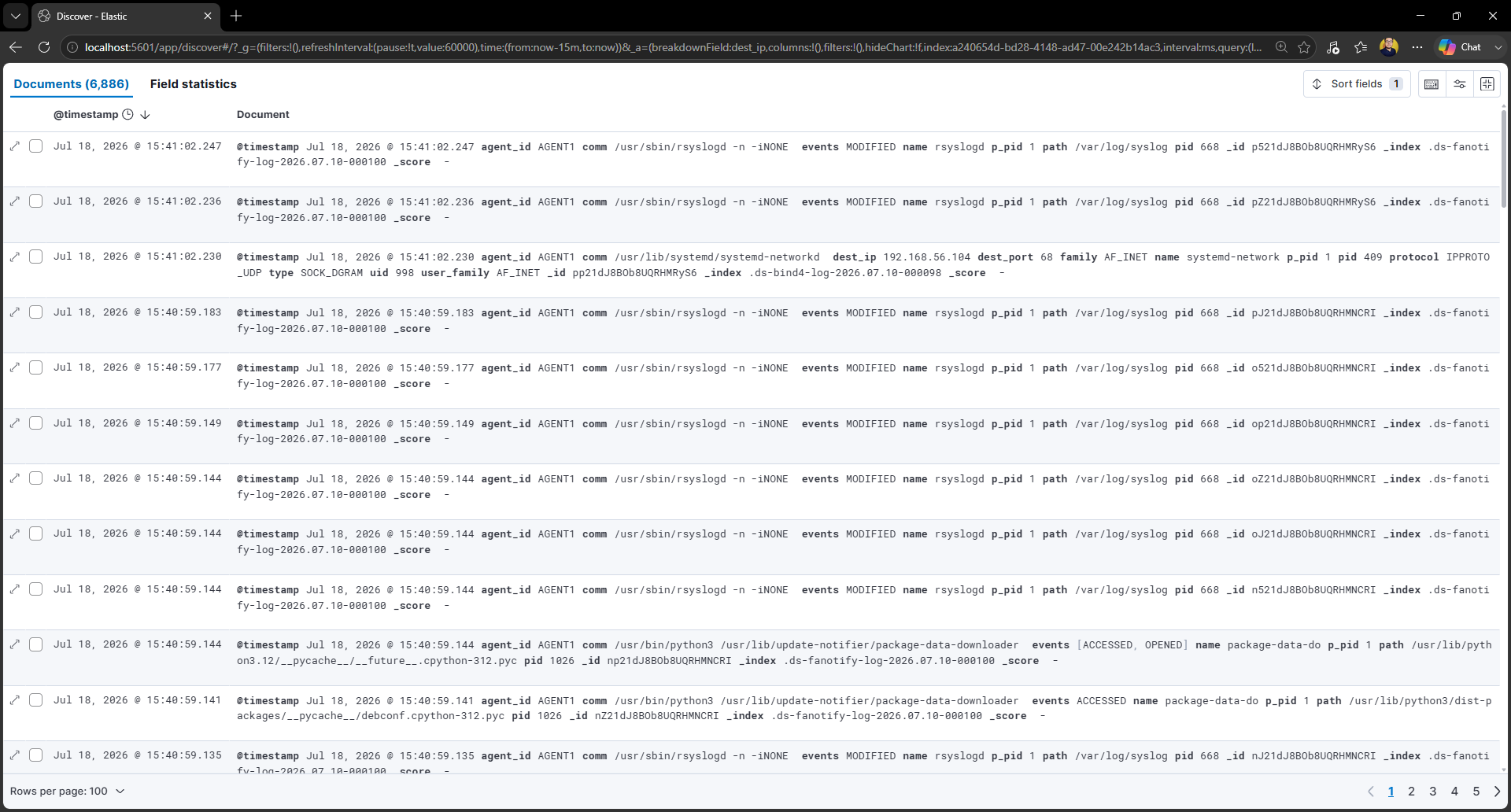
Fanotify is keeping its eye all over the file system. Every file operation event is captured whether the event is created by the system itself or any user. ACCESSED, MODIFIED and OPENED operation are logged.
Due to high volume of logs, filtration functionality is implemented. Currently the filtration is available with blacklisting paths and the list is defined in a YAML file so the user can easily change the filtration scope.
Capturing the alteration of the status of systemd services to track service failures easily.
The agent will have a C2 system that allows the admin to run command directly from browser to shell without any SSH fingerprint and extra authentication. The connection will be secured by mTLS. It is the incident response functionality that will be integrated with the agent.
- On-demand C2 connection creation using gRPC Bidirectional streaming (no persistent open port)
- mTLS-based mutual authentication
- WebSocket integration on frontend for live shell
- On-demand PTY allocation
-
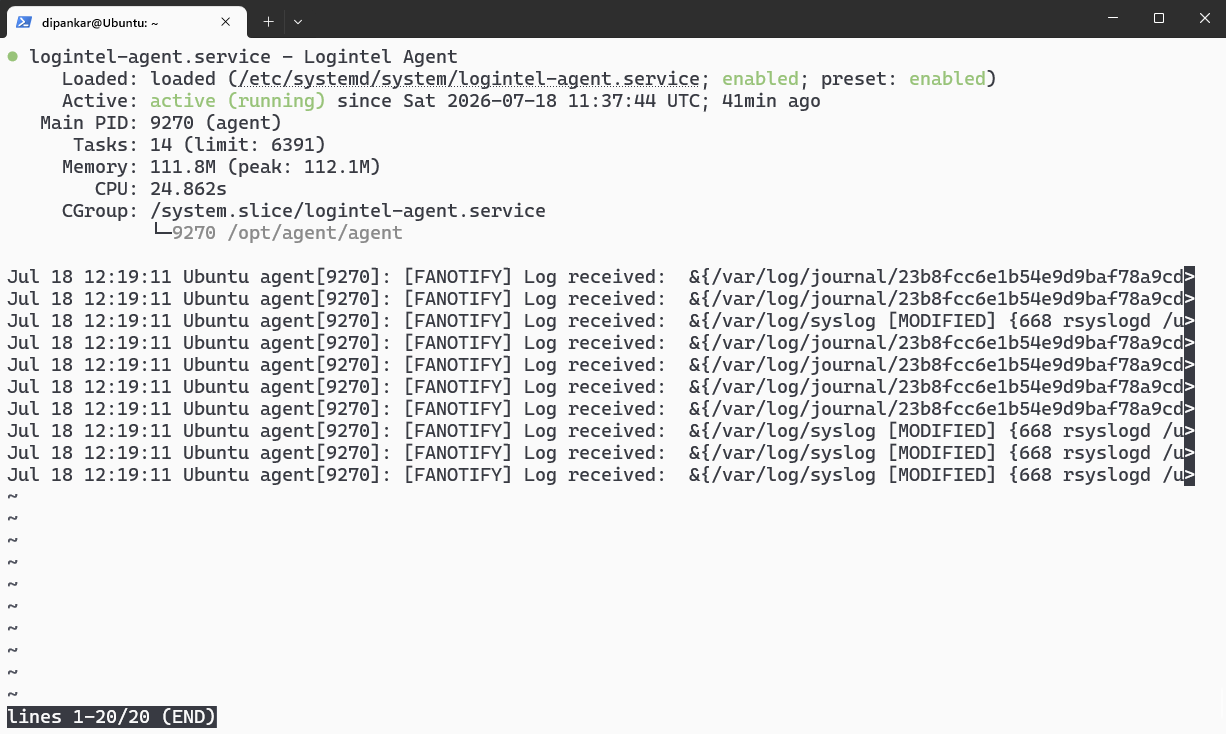
Logintel Agent runs in the background with systemd. The modus operandi of the agent is to consume minimal resource and provide maximum ouput. View agent status with
sudo systemctl status logintel-agent -
All the logs are being captured concurrently with goroutines.
-
The job of the agent is just capturing the logs and streaming the logs to the server, rest of the work will be handled by the central server itself.
-
Currently the agent is streaming the logs via gRPC Client Streaming. For now, the agent can only connect with the Logintel Central Server but we are going to integrate OTLP.
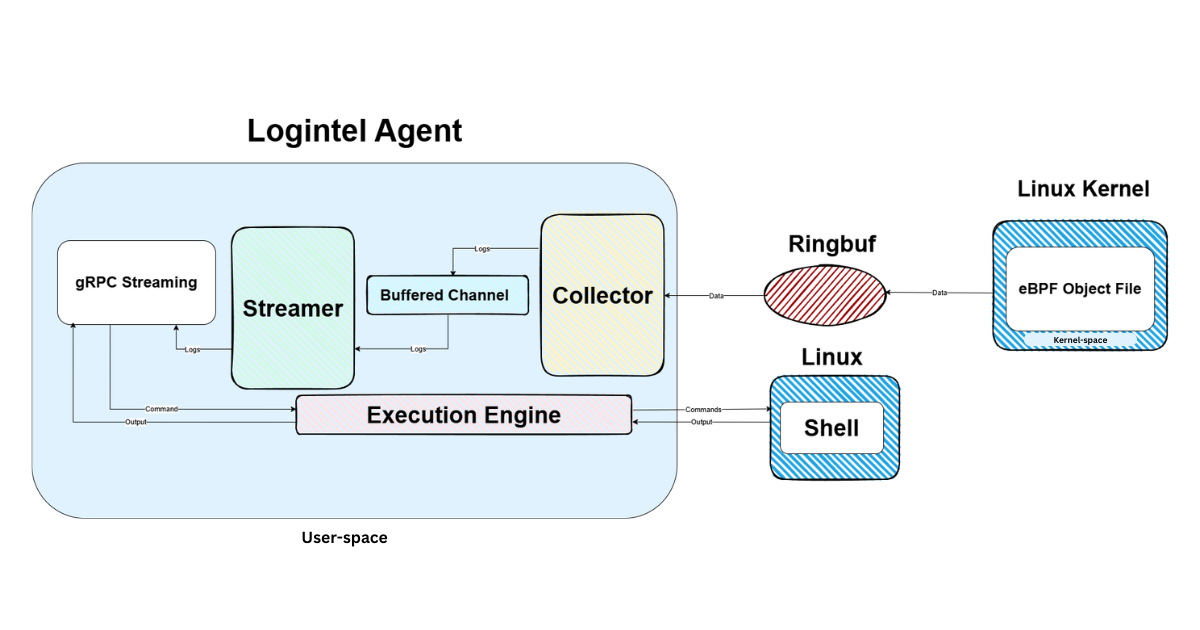
The C object file, the eBPF code, runs within the kernel and send the captured data to ringbuf. The Go code listens to the ringbuf, when data arrives, the agent pull the data from ringbuf.
#include "vmlinux.h"

#include <bpf/bpf_helpers.h>
#include <bpf/bpf_tracing.h>

struct exec_event {
    char filename[64];

    __u32 pid;
    __u32 old_pid;
    __u32 uid;
    char comm[16];
};

struct {
    __uint(type, BPF_MAP_TYPE_RINGBUF);
    __uint(max_entries, 1 << 24);
} events SEC(".maps");

SEC("tracepoint/sched/sched_process_exec")
int handle_exec(struct trace_event_raw_sched_process_exec *ctx) {
    bpf_printk("EXEC HIT");
    struct exec_event *e;

    e = bpf_ringbuf_reserve(&events, sizeof(*e), 0);
    if (!e) {
        return 0;
    }

    e->pid = bpf_get_current_pid_tgid() >> 32;
    e->uid = (__u32)bpf_get_current_uid_gid();
    e->old_pid = ctx->old_pid;
    bpf_get_current_comm(e->comm, sizeof(e->comm));

    u32 loc = ctx->__data_loc_filename;
    u32 offset = loc & 0xFFFF; // mask opetation to extract lower 16 bits
    char *filename = (void *)ctx + offset;

    bpf_probe_read_kernel_str(
        e->filename,
        sizeof(e->filename),
        filename
    );

    bpf_ringbuf_submit(e, 0);

    return 0;
}

char LICENSE[] SEC("license") = "GPL";func Exec_Handler() (*ringbuf.Reader, ebpfhandlers.LoadedEBPF, error) {
hookFs := "sched"
// load
loaded, err := ebpfhandlers.EBPF_Loader(
"./././ebpf_build/exec_log.o",
"handle_exec",
"tracepoint",
ebpfhandlers.HookParams{
Fs: &hookFs,
HookName: "sched_process_exec",
},
)
if err != nil {
return &ringbuf.Reader{}, loaded, fmt.Errorf(
"[ERROR] Failed to load exec_log.o: %w", err,
)
}
// rd
rd, err := ebpfhandlers.Ring_Buf_Reader(loaded.Collection)
if err != nil {
return &ringbuf.Reader{}, loaded, fmt.Errorf(
"[ERROR] Failed to get rd of exec hook: %w", err,
)
}
return rd, loaded, nil
}func Exec_Get_Log(rd *ringbuf.Reader) (models.Exec_Log_Event_Decoded, error) {
var decodedLog models.Exec_Log_Event_Decoded
execveLog, err := ebpfhandlers.EBPF_Reader[models.Exec_Log_Event](rd)
if err != nil {
fmt.Println(err)
return models.Exec_Log_Event_Decoded{}, fmt.Errorf(
"[ERROR] Failed to read exec log: %w", err,
)
}
decodedLog.Filename = utils.ByteToStrFilename(execveLog.Filename)
decodedLog.Comm = utils.ByteToStrComm(execveLog.Comm)
decodedLog.Pid = execveLog.Pid
decodedLog.OldPid = execveLog.OldPid
decodedLog.Uid = execveLog.Uid
return decodedLog, nil
}func Exec_Log_Collector(
ctx context.Context,
collect chan<- models.Exec_Log_Event_Decoded,
errCh chan<- error,
) {
rd, loaded, err := ebpfengine.Exec_Handler()
if err != nil {
errCh <- err
return
}
defer loaded.Link.Close()
defer loaded.Collection.Close()
defer rd.Close()
for {
log, err := ebpfengine.Exec_Get_Log(rd)
if err != nil {
select {
case <-ctx.Done():
return
case errCh <- err:
}
continue
}
select {
case <-ctx.Done():
return
case collect <- log:
}
}
}
| Exec Logs | Execve Logs | ISSS Logs | Connect4 Logs | Bind4 Logs | Fanotify Logs | Dbus IPC Logs |
|---|---|---|---|---|---|---|
| PID | PID | Old State | User Family | User Family | File Path | Service Name |
| Old PID | Parent PID | New State | User Port | User Port | PID | Description |
| UID | Command | Source Port | User IPv4 | User IPv4 | Events | Active State |
| Command | Process Name | Destination Port | PID | PID | Process Name | Timestamp |
| Process Name | Timestamp | Source IPv4 | UID | UID | Command | |
| Parent PID | Destination IPv4 | Family | Family | PPID | ||
| Timestamp | PID | Protocol | Protocol | Timestamp | ||
| Family | Type | Type | ||||
| Protocol | Process Name | Process Name | ||||
| Process Name | Command | Command | ||||
| Command | PPID | PPID | ||||
| Timestamp | Timestamp | Timestamp |
- ✅ eBPF log collection
- ✅ File operations logging
- ✅ Dbus service status alteration logging
- ✅ Streaming logs with gRPC Client streaming
- ✅ Collecting logs with Log Ingestion service
- ✅ Saving logs in Elasticsearch
- ✅ Log visualization in Kibana
- ⬜ Rule engine & alert generation
- ⬜ OTLP integration
- ⬜ C2 System
- ⬜ mTLS integration in gRPC
- ⬜ Agent authentication & Authorization with JWT
- ⬜ Admin panel
The system is still under development and getting better day by day. The first release of the system will be within October, 2026.
git clone https://github.com/incodi404/logintel.git
cd logintel/scripts
sudo ./install.sh
sudo systemctl status logintel-agentgit clone https://github.com/incodi404/logintel.git
cd logintel
go build -o agent cmd/agent/main.go- ✅ Ubuntu 22.04 LTS
- ✅ Ubuntu 20.04 LTS
Dipankar Chowdhury — Backend Engineer (Security Focused) | GitHub · LinkedIn