My productivity setup for macOS (Apple Silicon). Not tested on Linux.
A modern, opinionated development environment for macOS:
- Aerospace — i3-like tiling window manager for macOS
- Sketchybar — highly customizable status bar for macOS
- Zsh — main shell with Starship prompt using the Pastel Powerline preset
- Atuin — magical shell history with sync across machines
- Tmux — terminal multiplexing with Claude Code integration and process management
- Neovim with LazyVim — pre-configured, extensible code editing
- Ghostty — fast, native terminal emulator
- Claude Code — AI coding assistant with custom hooks and status line
- mise — pinned Rust, uv, Node, pnpm, and Bun versions across Macs
- Herdr Continuity — searchable Claude/Codex history and encrypted cross-Mac session handoff
- 1Password CLI — secrets injected at login via
op inject - Hiddenbar and Stats — menu bar and system monitoring
 Example: Starship prompt (Pastel Powerline), Ghostty terminal, and Sketchybar on macOS.
- Getting Started
- What Each Install Script Does
- Secrets Management
- Tmux
- Claude Code Integration
- Cheatsheet
- My Mac Setup
- About Aerospace
The install script backs up existing configuration files, but read below before running it!
Requirements:
- Git
- Homebrew (macOS package manager)
- 1Password CLI (
op) — for secrets injection
# Install Homebrew if not already installed
/bin/bash -c "$(curl -fsSL https://raw.githubusercontent.com/Homebrew/install/HEAD/install.sh)"git clone https://github.com/mehd-io/dotfiles ~/.dotfiles
cd ~/.dotfiles
./install.sh # Full install: apps + macOS defaults + dotfiles + neovim + sketchybar + aerospaceRun a subset via flags:
./install.sh --apps          # Homebrew packages from Brewfile
./install.sh --defaults      # macOS defaults (runs macos.sh)
./install.sh --dotfiles      # symlinks for zsh, tmux, ghostty, starship, atuin, Claude, Codex, borders
./install.sh --neovim        # clone LazyVim starter
./install.sh --sketchybar    # symlink sketchybar config + install custom font
./install.sh --aerospace     # symlink aerospace config
./install.sh --toolchain     # install exact runtime versions through mise
./install.sh --continuity    # install/link Herdr Continuity + periodic sync
./install.sh --helpAfter installation, you may want to:
- Restart your terminal to apply all shell changes
- Log out and back in for Aerospace to take effect
- Configure Atuin by running
atuin loginto sync shell history across machines - Set up 1Password — run
./install.sh --dotfiles, then replace the placeholder references in the private~/.config/dotfiles/env.tpltemplate (see Secrets Management)
| File | Purpose |
|---|---|
Brewfile |
macOS source of truth: Homebrew formulae + casks. Run with brew bundle. Each entry has a one-line comment. |
install.sh |
Orchestrator with subcommand flags: apps, defaults, dotfiles, neovim, sketchybar, aerospace. |
macos.sh |
macOS defaults write settings, one comment per line. Safe to run standalone. |
mise/ |
Exact global developer-tool selections and cross-platform lock metadata. |
herdr-continuity/ |
Herdr configuration and launchd definition. |
Runs brew bundle --file=Brewfile. Installs all CLI tools (neovim, tmux, atuin, fzf, ripgrep, Lumen, etc.), data tooling (duckdb, libpq), cloud CLIs (aws, gcloud), window manager + status bar (aerospace, sketchybar, hiddenbar, stats), terminal (ghostty), and apps (1Password, Raycast, Obsidian, Notion, Slack, Spotify, Brave, Chrome, Firefox, Cursor, Claude Desktop, etc.).
Runs macos.sh. Sets dock, menu bar, keyboard, text input (disables smart quotes / em-dash substitution), Finder, screenshot, animation, and multi-monitor preferences. Each line is annotated; comment out anything you want to skip.
Backs up existing real files in ~ to ~/dotfiles-backup. Shell startup files
are installed as reviewed copies because they load hydrated credentials; editing
the public checkout does not change active startup code until the installer is
run explicitly.
~/.zshrc,~/.zprofile(materialized Zsh startup files)~/.tmux.conf,~/.tmux.conf.local(Tmux)~/.tmux/pane-info.sh,open-url.sh,log-pane.sh(Tmux runtime scripts)~/.config/ghostty/config(Ghostty)~/.config/starship.toml(Starship)~/.config/atuin/config.toml(Atuin)~/.config/borders/bordersrc(Borders)~/.claude/settings.json(materialized UI and Continuity hooks)~/.claude/CLAUDE.md(shared agent instructions from the rootAGENTS.md)~/.codex/config.toml(mutable local state with managed Chrome DevTools fragments)~/.codex/AGENTS.md(the same shared root agent instructions)
After installing its public base, the installer runs regular, non-symlinked
machine-local extensions from ~/.config/dotfiles/install.d. That directory is
mode 0700; this repository neither names nor fetches private repositories.
Machine-local tooling can therefore be reapplied without publishing its contents
or remote location. No extension is required for a safe base install. Sets Zsh
as the default shell.
Codex keeps mutable project trust, UI state, hooks, rules, and authorization in its local home. This repository manages only the Chrome DevTools fragment. Chrome runs with an isolated temporary profile, disabled usage reporting, and disabled CrUX lookups.
Clones the LazyVim starter into ~/.config/nvim. Skips if already present.
Symlinks the sketchybar config to ~/.config/sketchybar, downloads sketchybar-app-font for workspace app icons, and restarts the brew service. The sketchybar formula itself comes from --apps.
Symlinks aerospace.toml to ~/.config/aerospace/aerospace.toml. The aerospace cask comes from --apps.
Links the global mise configuration and installs pinned Rust, uv, Node, pnpm, and Bun versions. Rust uses rustup underneath; Cargo lockfiles continue to pin project dependencies.
Updates, builds, and installs the Rust herdr-continuity binary, links its Herdr
plugin, disables the superseded Auto Name plugin, installs the Codex title hook,
and registers an hourly launchd fallback sync. Claude's Stop hook pushes only
the exact session that stopped. Claude and Codex prompt hooks asynchronously
generate one canonical title for Neon, the local picker, and Herdr. The picker
searches a local cache and never
wakes the database; sync performs an incremental push followed by a
cursor-based pull.
Create a 1Password item named herdr-continuity with database-url and
encryption-key fields, and configure GEMINI_API_KEY, before enabling database
sync and title generation. Raw events are compressed
and encrypted locally; searchable message projections remain plaintext in
PostgreSQL by design.
On the first Codex launch after installation, approve the Continuity
UserPromptSubmit hook. The hook is fail-open, so naming can never block a
prompt.
HERDR_CONTINUITY_AUTO_SYNC is enabled for the upgraded Neon project. Scheduled
fallback sync runs only from 07:00 to 23:00 local time; explicit handoffs and
Claude Stop-hook pushes are not restricted by that window. Remote handoff
receive runs through the same isolated wrapper so it can load the shared
encryption key from 1Password and fail safely when credentials are unavailable.
Environment variables containing API keys and tokens are injected with 1Password CLI op inject. The public examples contain placeholders only; ./install.sh --dotfiles seeds a private, mode-0600 template at ~/.config/dotfiles/env.tpl and an account selector at ~/.config/dotfiles/op-account, and never overwrites either file. Set the selector to the account shorthand, sign-in address, account ID, or user ID that owns the referenced vaults.
zprofile and the Continuity wrapper resolve that shared template through scripts/op-env-cache.sh, passing the private account selector only to that injection command. The resolved environment is written atomically to a mode-0600, user-specific cache under XDG_RUNTIME_DIR, TMPDIR, or /tmp, expires after 24 hours, and is deleted if refresh fails. Set OP_ENV_CACHE_TTL to override the lifetime in seconds.
On first install after this change, existing private shell-secrets.env.tpl and herdr-continuity.env.tpl files are combined into env.tpl. The legacy files are retained so the migration is recoverable and can be removed manually after verification.
Never commit concrete op:// references: vault, item, field, and account identifiers belong only in the private templates.
- Theme from gpakosz/.tmux, prefix remapped to backtick (
`) - Vim-style pane navigation (
h/j/k/l) - Pane borders show: git branch, listening ports, devcontainer status
- Process state written to
/tmp/tmux-proc-state/for tooling integration - Auto-cleanup: when the last pane for a repo closes, orphaned processes and devcontainers are stopped
| Script | Purpose |
|---|---|
pane-info.sh |
Pane border info: branch, ports, devcontainer links |
open-url.sh |
prefix + U — open URLs from pane border in browser |
log-pane.sh |
prefix + L — toggle log viewer pane |
toggle-nvim.sh |
prefix + n — toggle nvim + Neotree pane |
tmux-cleanup.sh |
Auto-kill processes/devcontainers on pane exit |
Claude Code's public UI and Continuity hooks are defined by
claude/settings.json. Optional private extensions may merge additional
user-level configuration after this base is installed.
| Hook | Script | Purpose |
|---|---|---|
| PreToolUse | claude-on-busy.sh |
Sets Claude status to "busy" for tmux status line |
| PreToolUse (Bash) | claude-pretool-check.sh |
Blocks duplicate server starts when ports are in use |
| Notification | claude-on-waiting.sh |
Sets Claude status to "waiting" |
| UserPromptSubmit | herdr-continuity-sync.sh |
Generates a canonical session title asynchronously |
| Stop / SubagentStop | claude-on-idle.sh |
Sets Claude status to "idle" |
| Stop | herdr-continuity-sync.sh |
Incrementally pushes the stopped Claude session |
claude-statusline.sh provides a compact status line showing: state icon, directory, git branch (with worktree detection), model, and context remaining.
See docs/cheatsheet.md for all keyboard shortcuts (tmux, neovim, zsh, Claude Code).
A comprehensive list of apps and tools I use for development and productivity.
| Tool | Description |
|---|---|
| Ghostty | Fast, native terminal emulator |
| Starship | Cross-shell prompt with Pastel Powerline theme |
| Atuin | Magical shell history with sync |
| Tmux | Terminal multiplexer |
| Yazi | Blazing fast terminal file manager |
| Tool | Description |
|---|---|
| Cursor | AI-powered code editor |
| Neovim + LazyVim | Extensible text editor |
| Tool | Description |
|---|---|
| Claude Desktop | Claude AI desktop app |
| Claude Code | AI coding assistant CLI |
| Codex | OpenAI coding agent CLI |
| Tool | Description |
|---|---|
| Aerospace | i3-like tiling window manager |
| Sketchybar | Customizable status bar |
| Hiddenbar | Hide menu bar icons |
| Stats | System monitoring in menu bar |
| Tool | Description |
|---|---|
| Raycast | Spotlight replacement with extensions |
| Obsidian | Markdown-based knowledge base |
| Notion | All-in-one workspace |
| 1Password | Password & secrets manager |
| Annotate | Screenshot annotation tool |
| Tool | Description |
|---|---|
| Homebrew | Package manager for macOS |
| OrbStack | Fast Docker & Linux on macOS |
| AWS CLI | Amazon Web Services CLI |
| gcloud CLI | Google Cloud CLI |
| Yazi | Terminal file manager, installed from the Brewfile source of truth |
| dua | Disk usage analyzer |
| Tool | Description |
|---|---|
| Brave | Privacy-focused browser |
| Chrome | Google Chrome |
| Firefox | Mozilla Firefox |
| Tool | Description |
|---|---|
| Spotify | Music streaming |
| OBS | Streaming and recording |
| Adobe Photoshop | Image editing |
| Adobe Premiere Pro | Video editing |
| Ableton Live | Music production |
| Tool | Description |
|---|---|
| Keka | File archiver |
| Zoom | Video conferencing |
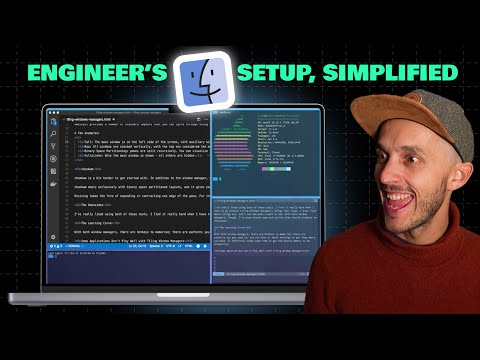
I made a deep dive video on this tiling window manager:
This setup uses Starship with the Pastel Powerline preset for a modern, colorful, and informative shell prompt.