
Everything you need for the Microsoft 365 SMTP AUTH shutdown.
Find out what breaks in your tenant, check whether your hardware has a way
out, and keep it sending — including a free relay for the devices that will
never speak OAuth.
The relay is free with no paid tier, capped at 200 messages/day, and sends
from a shared @msgwing.com address rather than your own
(why).






Get a free account → · Exchange Online migration → · Documentation site · Quickstart · Code examples · FAQ · Deutsch · Polski
- What's in here
- Quickstart
- Why ZeroSMTP?
- ⭐ Support ZeroSMTP
- How does this compare to other options?
- GitHub Actions
- Code Examples
- Security & Deliverability
- Star History
This page is the README of the whole project, which is a free SMTP relay — so the action you came for is below the fold. Here it is:
- uses: msgwing/ZeroSMTP@v1.7.0
  with:
    host: smtp.office365.com
    cert-expiry-days: '14'
It checks outbound SMTP from the runner — ports, TLS, certificate and the AUTH mechanisms offered — and fails the job when the mail server's certificate is inside the window you set. Nobody watches a mail certificate; it expires on a Sunday and the first report is somebody saying scanning stopped working.
No install and no npm: the tool has no dependencies, so the action runs the file shipped beside it. Every input, and the scheduled-canary setup that reports without failing, is in GitHub Actions further down.
| 1. Audit your tenant | Find-SmtpAuthExposure.ps1 — read-only. Reports every mailbox that can still use SMTP AUTH, counting the ones that inherit the tenant setting separately, because the usual -eq $false one-liner misses those entirely and can report zero on a fully exposed tenant. |
| 2. Check your hardware | Compatibility list — machine-readable, backed by data/devices.json. Which models have OAuth firmware, and which ones the vendor has ruled out with a link to every vendor statement. |
| 3. Keep it sending | A free SMTP relay that still accepts a username and password, with 21 code examples across 19 languages, Ansible and Docker Compose recipes, and printer setup by brand. |
Plus what every error message actually means, and a migration guide that covers Graph API, Direct Send and paid relays — not just this one.
How big is this actually? Nobody had published a number, so we measure one every week: at least 24,960 public files on GitHub still contain a Microsoft 365 SMTP hostname. That is a count of files, not of systems that will break, and the page says exactly what it does and does not mean — along with the raw data, so you can check it rather than trust it.
Getting
535 5.7.139 Authentication unsuccessful, basic authentication is disabled? That's Microsoft switching off Basic auth for SMTP AUTH — start here. Three of the four causes are still reversible until the end of December 2026.npx zerosmtp-check --explain "535 5.7.139 Authentication unsuccessful"Paste whatever your client printed — a Postfix SASL line, a Python traceback,
1102off a Kyocera panel, or thecurl: (67) Login deniedthat hides the server's answer entirely. They are the same refusal wearing different clothes, and it says which case you are in and whether it can still be switched back on. No install, nothing sent.
curl --url "smtps://mx.msgwing.com:465" \
  --user "$ZEROSMTP_USERNAME:$ZEROSMTP_PASSWORD" \
  --mail-from "$ZEROSMTP_FROM" --mail-rcpt "$ZEROSMTP_TO" \
  --upload-file <(printf 'Subject: Test\r\n\r\nHello from ZeroSMTP!') --ssl-reqd
That's the whole thing — no SDK, no API key, just SMTP credentials that work with anything that already speaks SMTP.
| Server | mx.msgwing.com |
| Port | 587 (STARTTLS) or 465 (SSL/TLS) |
| Login | your randomly generated @msgwing.com address |
| Cost | free — up to 200 emails/day (limits) |
| Catch | mail is sent from @msgwing.com, not your own domain (why) |
- Register your free account → — 30 seconds, no credit card, no trial. You immediately get a random
@msgwing.comlogin and password. - Copy
.env.exampleto.envand fill in your credentials. - Run the curl snippet above (
export $(grep -v '^#' .env | xargs)first), or pick your language from the Code Examples table — every example reads the same.envvariables. - Having trouble? Check your network lets SMTP out at all —
Test-NetConnection mx.msgwing.com -Port 587on Windows, oropenssl s_client -starttls smtp -connect mx.msgwing.com:587elsewhere. That is what most first-run failures turn out to be. Then see Error messages · Troubleshooting.
Prefer not to install anything locally? Every runtime used below (Python, PHP, Node, Ruby, Go, Java, Kotlin/Gradle, .NET, Rust) is preinstalled in the included Dev Container / Codespace.


- Nothing to run and nothing to pay for. No mail server, no API key, no credit card, no per-email pricing tier to graduate into.
- Works with anything that already speaks SMTP — apps, scripts, network printers, NAS boxes, IoT hardware. If it has a "SMTP server" field, it works.
- Plain SMTP AUTH still accepted. No OAuth2 flow to implement, which is the whole point for old devices that will never get a firmware update.
- Managed reputation. Accounts are randomly generated on a domain that's actively monitored for abuse, so you're not warming up an IP yourself.
- 21 copy-paste examples across 19 languages, all reading the same environment variables, plus Ansible and Docker Compose recipes and setup guides for Windows Server, Linux, and printers by brand.
- Verifiably up — the status badge above is a real check that runs against
mx.msgwing.comevery 15 minutes, not a static image.
Good for: contact forms · password resets · CI/CD and monitoring alerts · scan-to-email · IoT and device notifications · homelabs.
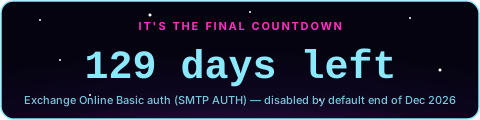
Microsoft disables Basic authentication for SMTP AUTH by default at the end of December 2026. Printers, NAS boxes, backup jobs and monitoring tools that can't do OAuth stop sending — and the alerting ones fail silently, so you find out during the incident they should have warned you about.
Migration guide → covers every option (Graph API, Direct Send, on-prem relay, paid services), not just this one. What breaks → is the audit list, including models whose vendor has said no OAuth firmware is coming.
Run
Find-SmtpAuthExposure.ps1to get the answer for your own tenant. Read-only, and it counts the mailboxes that inherit the tenant setting — the ones the usual one-liner misses.
Setup guides: Network printers · Popular applications · Linux (Debian/Ubuntu/Rocky/Fedora/openSUSE) · System-wide mail relay (Postfix/msmtp/Exim4) · Windows Server · Exchange Online SMTP AUTH migration · Monitoring alerts · OAuth compatibility list · No OAuth firmware coming · Device case studies · Troubleshooting · Reliability (retries) · vs. other free relays · How much public code breaks · FAQ
Did this get a specific device sending again? Tell us which one — a device report takes a couple of minutes. Vendors publish headline model lists; firmware branches, regional names and OEM rebadges drift away from them, so a report from someone holding the hardware is the part of the compatibility list nobody else can copy. Confirming a device that works is just as useful as reporting one that doesn't.
This project is free, with no paid tier and no ads — it exists because the people who found it useful decided to help the next person find it too.
One star on GitHub is the cheapest way to do that. GitHub ranks and recommends repositories partly by stars, so it changes whether the next sysadmin with a dead printer at 2am finds this — or spends the night rebuilding what is already here.
Already starred? Create your free account is the second best thing you can do — it takes 30 seconds and it means the next person who lands here finds a healthy, active service rather than a side-project graveyard.
| ZeroSMTP | Gmail SMTP relay | Amazon SES | Mailgun / SendGrid / Brevo (typical free tier) | |
|---|---|---|---|---|
| Cost | Free, no card required | Free (personal Google account) | Pay-per-email (a limited free allowance only applies from AWS EC2, first 12 months) | Free tier, usually capped low and gated behind signup + domain verification |
| Setup | Register, copy SMTP credentials, done | Needs a Google account; Google's terms discourage automated/bulk sending over it | Needs an AWS account, plus a "production access" request before sending to unverified addresses | Signup + domain verification for full features |
| Custom "From" domain | No — always @msgwing.com (see FAQ) |
Yes, your Gmail/Workspace address | Yes | Yes, once your domain is verified |
| Best fit | Contact forms, password resets, notifications, printers/IoT — anywhere the from-address doesn't need to be your own domain | Low-volume personal scripts | Production apps that need it and can handle the AWS setup | Businesses that need branded sending and can handle the setup |
Free-tier terms above change over time — check each provider's current pricing page before committing to one.
Popular self-hosted options like docker-mailserver,
Mailu, or mailcow
give you a mailbox on your own domain and full control — but you're the one
running Postfix, DKIM/SPF/DMARC, spam filtering, and IP/domain reputation,
which is real ongoing maintenance, not a one-time setup. ZeroSMTP is the
other end of that trade-off: zero setup and zero maintenance, in exchange
for sending from the shared @msgwing.com address instead of your own
domain. If you already run one of those and it's working, there's no reason
to switch. If you're not sure the effort is worth it yet for a script,
contact form, or side project, ZeroSMTP costs nothing to try first.
Two actions, and they do opposite things.
msgwing/ZeroSMTP — check that mail can be sent.
Runs the connectivity check from the runner and fails the job when the mail
server's certificate is inside a window you choose. Nobody watches a mail
certificate; it expires on a Sunday and the first report is a user saying
scanning stopped working. No credentials and no mail sent.
- uses: msgwing/ZeroSMTP@v1.7.0
  with:
    host: smtp.office365.com
    cert-expiry-days: '14'
msgwing/send-email-action — actually send one.
For CI failure alerts, deploy notifications and scheduled reports.
On the GitHub Marketplace,
it wraps the setup below into one step:
- uses: msgwing/send-email-action@v1
  with:
    username: ${{ secrets.ZEROSMTP_USERNAME }}
    password: ${{ secrets.ZEROSMTP_PASSWORD }}
    from: ${{ secrets.ZEROSMTP_USERNAME }}
    to: you@example.com
    subject: "Build failed"
body: "See the run: ${{ github.server_url }}/${{ github.repository }}/actions/runs/${{ github.run_id }}"Ready-to-run, production-ready examples for mx.msgwing.com:465 (SSL/TLS) or
:587 (STARTTLS), one file per language:
| Language | File |
|---|---|
| Python | python-zerosmtp.py |
| PHP (PHPMailer) | php-zerosmtp.php |
| PHP (Symfony Mailer) | php-symfony-mailer-zerosmtp.php |
| Node.js | node-zerosmtp.mjs |
| TypeScript | ts-zerosmtp.ts |
| Bash (curl) | bash-curl-zerosmtp.sh |
| Bash (swaks) | bash-swaks-zerosmtp.sh |
| Java | java-zerosmtp.java |
| C# (.NET / MailKit) | cs-zerosmtp.cs |
| Go | go-zerosmtp.go |
| Ruby | ruby-zerosmtp.rb |
| Rust | rust-zerosmtp.rs |
| Kotlin | kotlin-zerosmtp.kt |
| Elixir | elixir-zerosmtp.exs |
| Lua | lua-zerosmtp.lua |
| Perl | perl-zerosmtp.pl |
| C (libcurl) | c-zerosmtp.c |
| Dart | dart-zerosmtp.dart |
| Zig (libcurl) | zig-zerosmtp.zig |
| Swift | swift-zerosmtp.swift |
| PowerShell | pwsh-zerosmtp.ps1 |
Each example reads credentials from ZEROSMTP_* environment variables
(ZEROSMTP_USERNAME, ZEROSMTP_PASSWORD, ZEROSMTP_FROM, ZEROSMTP_TO,
ZEROSMTP_SUBJECT) — never hardcode real credentials into a script.
Not every migration is a code change. Two of the places SMTP settings actually live:
| Recipe | File | What it does |
|---|---|---|
| Ansible | ansible-zerosmtp.yml | Points a fleet's system mailer (cron, unattended-upgrades, systemd OnFailure=) at the relay via msmtp. Idempotent; credentials come from -e or ansible-vault, never from the file. |
| Docker Compose | docker-compose-zerosmtp.yml | Runs one send from a container, reading .env. Useful for testing the credentials from inside the network the real app runs in. |
Every example that needs a third-party library has a matching manifest at the repo root, so you can install with each ecosystem's normal command instead of hunting down library names/versions yourself:
| Language(s) | Install with |
|---|---|
| Node.js / TypeScript | npm install |
| PHP | composer install |
| Rust | cargo build (fetches deps automatically) |
| C# | dotnet build cs-zerosmtp.csproj |
| Java | mvn compile |
| Kotlin | gradle build |
| Swift | swift build |
| Zig | zig build-exe zig-zerosmtp.zig -lc -lcurl (needs libcurl headers) |
| Python, Ruby, Go, Bash, PowerShell | none — standard library only |
Easy Configuration:
- Login: randomly generated address @msgwing.com
- SMTP Server: mx.msgwing.com
- Port: 587 (STARTTLS) or 465 (SSL/TLS)
- Encryption: SSL/TLS - required
We respect your privacy - your data is not processed for any marketing or commercial purposes.
✓ Domain Reputation Enhanced: The msgwing.com domain reputation has been improved, with strict anti-spam measures enforced. All spam accounts have been blocked and removed to ensure optimal email deliverability for legitimate users.
Interested in checking the reputation of msgwing.com? You can test this yourself using mail-tester.com:
- Create a free SMTP account at msgwing.com
- Use our PowerShell test script: SendEmailTest_mail-tester.com.ps1
- Generate a random email at mail-tester.com and send a test message from your @msgwing.com address
- Check the reputation score and detailed analysis
✓ Security Improvements: We have implemented comprehensive security enhancements to the msgwing.com service, including improved authentication protocols, enhanced abuse monitoring, and strengthened infrastructure security measures.
If you have any questions, feel free to contact us: abuse@msgwing.com
Great deliverability • Random high-reputation account • No costs • Full privacy • Works with everything
Start sending emails today - completely free and with no hidden rules!
Registration is available at: https://msgwing.com
